AI website builder

Build a website with AI, without writing a line of code

You describe the business in one sentence. You can add an image, a PDF, a URL, or a screenshot. Eqlo writes the pages, the navigation, the copy, the forms, and the images. The first draft lands in two to five minutes. A publishable brochure site takes one to two hours of edits.

Create your account

Five free projects. No card. About a minute.

First draft in 2 to 5 min5 free projectsNo card to start
Eqlo editor showing a services page, prices, and a contact button after the first draft
The editor after the first draft: a services page, written prices, and a contact button already on the canvas.

What you actually get

The pages, the navigation, and the copy

What you actually get is a set of pages, a written navigation, and copy a visitor can read, not a blank theme. You describe the trade in English, and you can add an image, a PDF, a URL, or a screenshot. Eqlo writes the pages, the menu, the titles, the internal links, and the sentences. Take this as a worked example, not a named client. A plumber in Leeds gets Home, Services, Prices, and Contact. The first draft lands in two to five minutes. You add or drop a page later by saying so in the chat.

The domain name, hosting, and the certificate

Hosting starts at once on a projet.eqlo.app subdomain. When you are ready, you attach a domain you already own. Eqlo checks the DNS records and issues an SSL certificate. Pages are pre-rendered at build time, so the words sit in the first HTML. The sitemap and robots.txt are generated. The sitemap is submitted when you publish. Images become WebP, with sizes and alt text. Five projects stay free, with no card, on that subdomain.

Forms and the inbox for incoming requests

The first draft includes the forms the trade needs, already placed on the pages. A contact form, a quote request, or a booking ask is written with the rest of the copy. The visitor submits the request on the site. If you want those messages in Slack or Brevo, you ask for that connection in one sentence. Keys are stored encrypted. You are not left with an empty box labelled Form and a weekend of wiring.

How it works, step by step

01

Step 1, describe the business in one sentence

The creation starts with a sentence that names the trade, the city if it matters, and the action a visitor should take. A plumber in Leeds, services, prices, and a contact form is enough. Attach a logo, a photo of the van, a PDF of the price list, or the URL of an older site if you have one. You do not need a sitemap or a color palette before you start. The chat accepts English.

02

Step 2, watch the pages being built

The first draft lands in two to five minutes. You see real pages in the editor, not a wireframe. Read them the way a stranger would. Check the services, the prices, the hours, and the names. If a page is missing, say so in the chat. If a paragraph belongs to another trade, say so. This is the cheap moment to be picky, before anyone else has the URL.

03

Step 3, correct by clicking an element

You click an element on the page, then write an instruction that changes only that element. Each exchange creates a version you can restore in one click. You can compare two versions on screen. You can also edit a sentence in place without opening the chat. Colors, type, and corner radii apply to every screen at once when you set the graphic system. Keep going until you would send the URL to a customer.

04

Step 4, publish on your own domain

You add the domain in the Publish screen, enter the DNS records Eqlo shows, and wait for the green check. The SSL certificate is issued in the same flow. Title, meta description, heading tree, and structured data leave in the first HTML. Core Web Vitals are measured on every publish. A regression raises an alert. From here the work is the work of any live site: answer the requests, update the prices, add a photo when you have one.

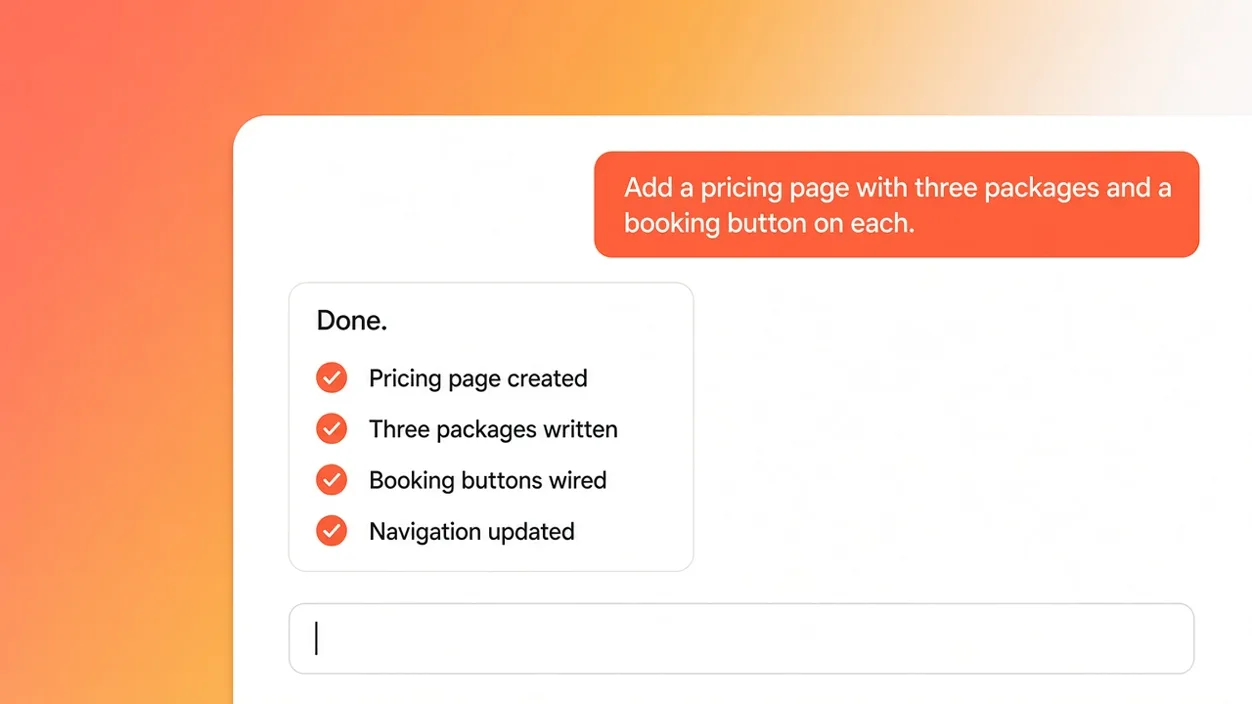
Chat in the Eqlo website builder after a written instruction on one selected block
The chat after a written instruction: only the selected block changes, and a new version appears.

The types of sites you can build

The types of sites you can build are five shapes, each with its own pages, not one template under a new coat of paint. A publishable brochure site takes one to two hours of back and forth. An online store takes half a day.

Brochure site

Home, services and prices, past work, reviews, and a way to write in. Take a plumber in Leeds as a worked example, with no company name. The brochure site page lists every block that type needs, including the service area and the hours.

Online store

Catalogue, product page, cart, delivery, and checkout. Payments go through the Stripe account you connect, never an Eqlo middle account. Take a ceramics maker in Asheville as a worked example. The online store page covers stock, shipping, sales tax, and returns. A store takes about half a day.

Booking site

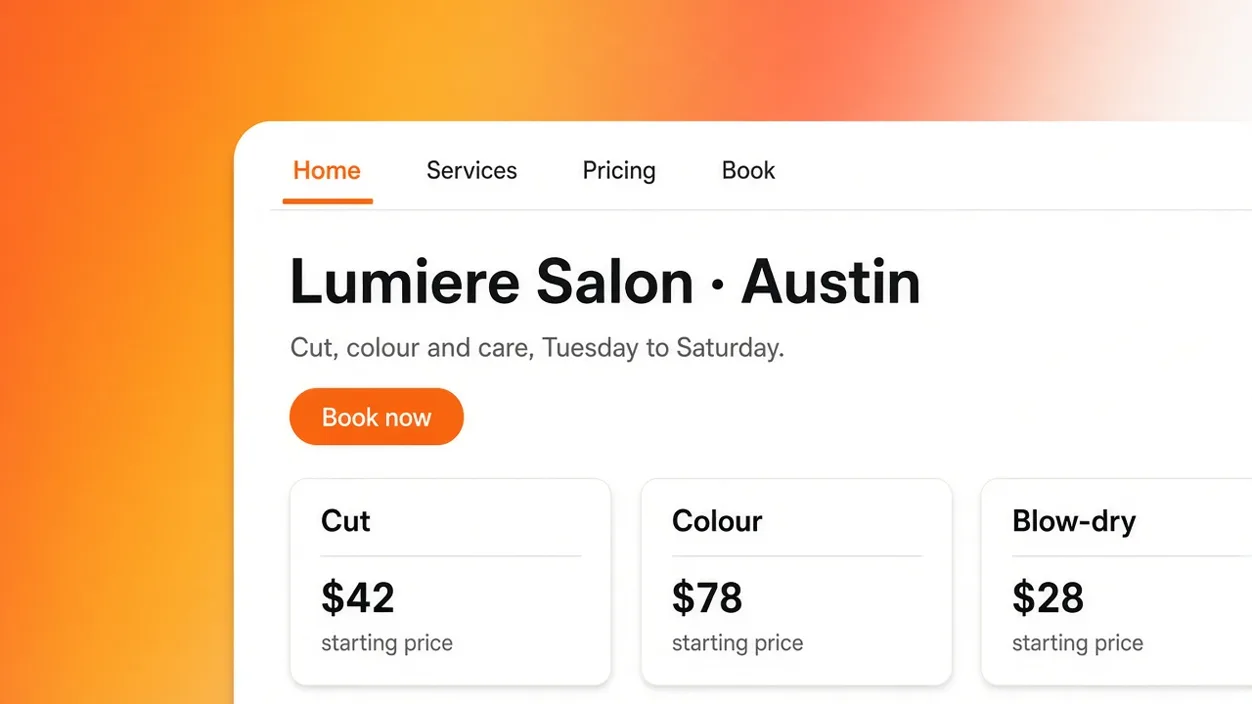
Services, a live calendar, a confirmation, and a reminder. Take a beauty studio in Austin as a worked example. The visitor picks a slot. You can ask for a deposit, a cancellation rule, buffer times, and a Google Calendar connection in one sentence. The booking page writes those settings out.

Landing page

One promise, one proof, one objection, one action. Useful for a seasonal offer or a waitlist. You can spin a second variant from the first. The dedicated landing page covers variants, conversion tracking, and speed. The first draft still lands in two to five minutes.

Portfolio

A grid, a project page, a short about, and a contact path. Built for people who sell from the pictures. The portfolio page covers project order, image formats, and how the visuals are protected. The first draft still lands in two to five minutes.

Abstract illustration of five website types Eqlo can build from a written description
Five site types from one product: brochure, store, booking, landing page, and portfolio.

Why an AI-built website is not always found on Google

An AI-built website is not always found on Google because a crawler that receives an empty first HTML has nothing to index. Rankings then still depend on the copy and the links. No tool sells a slot in the results.

Eqlo pre-renders marketing pages at build time. The title, the meta description, the heading tree, and the structured data leave in the first HTML. The sitemap and robots.txt are generated. The sitemap is submitted when you publish. Images become WebP, with sizes and written alt text. Core Web Vitals are measured on every publish, and a regression raises an alert. That is the technical floor. The rest is your work: useful pages, a name people already search, and links you earn. The SEO page for AI-generated sites walks through what the first file must contain.

  • Pages pre-rendered at build, with the copy in the first HTML
  • Title, meta description, heading tree, and structured data on publish
  • Sitemap and robots.txt generated, sitemap submitted
  • Images as WebP, sized, with written alt text
  • Core Web Vitals measured on every publish

Read why an AI site may not rank

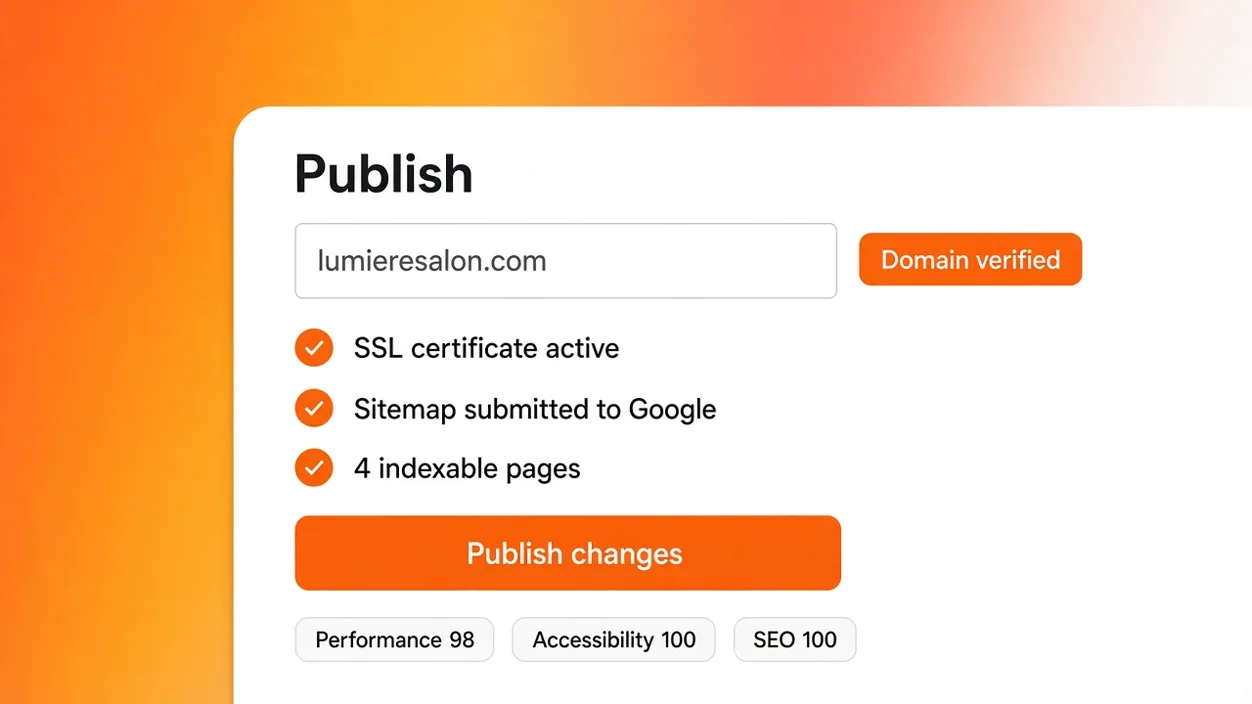
Publish screen with a verified domain, an SSL certificate, a submitted sitemap, and indexable pages
The Publish screen after a live deploy: domain verified, certificate active, sitemap submitted, pages present in the first HTML.

What is wired up before you touch anything

What is wired up before you touch anything is the account stack, the payment path, and the measurements that run on every publish. You ask for a connection in one sentence. Keys are stored encrypted.

Customer accounts and a personal space

When the project needs a login, Eqlo adds sign-in by email, Google, and Apple. Forgot password and address verification sit in the same flow. Roles and permissions are available. Organizations cover a multi-tenant case. You invite people by email as reader, editor, or admin. Comments pin to an element on the page. The activity log keeps who changed what.

Payments through your Stripe account

You connect the customer Stripe account, never an Eqlo middle account. Subscription, one-off payment, deposit, and a free trial are the shapes you can ask for. Stripe Tax handles sales tax and VAT from the buyer country. Invoices go out on their own. The customer portal lets someone cancel. Eqlo does not take a cut of those charges.

Visit stats without a third-party cookie

Core Web Vitals are measured on every publish. A regression raises an alert instead of sitting unseen. That measurement does not ask the visitor for a third-party cookie. If you want visit counts, Google Analytics connects in one sentence. We do not sell a ranking and we do not invent a house analytics product that is not on this list.

What it costs

What it costs is three plans. Free is $0, one seat, five projects, hosting on a subdomain, and no card. Plus is $19 a month, three seats, unlimited projects, and your own domain. Team is $49 a month, ten seats, and the same hosting.

Free
1 seat, $0, 5 projects
Plus
3 seats, $19 / month
Team
10 seats, $49 / month
Hosting
Included on every plan
Your own domain
Plus and Team
GitHub export
Manual on Free, automatic from Plus
Card to start
No

The pricing page lists the rest. A full export is available at any time. Store builds are not part of a website project. They sit on Plus and Team when the same project also ships an app.

Related pages

The five site types, the SEO page, and the plans take over from here. If you already have a live URL, start from the import flow instead of a blank sentence.

Frequently asked questions

How long does the first version of a site take?

The first draft lands in two to five minutes. A brochure site you are willing to publish, with your prices and your photos, then takes one to two hours of reading and correcting. An online store takes about half a day.

Can I use a domain I already own?

Yes. You add the domain on the Publish screen, set the DNS records Eqlo shows, and wait for the green check. The SSL certificate is issued in the same flow. Hosting on projet.eqlo.app is already there while you wait.

Will Google index a website I publish with Eqlo?

Eqlo publishes pre-rendered pages with a title, a meta description, a heading tree, a sitemap, and structured data. That is what a crawler needs to even read the URL. Indexing and ranking still depend on the usefulness of the page, the links it earns, and the competition. No builder promises a first page.

What does the free plan include for a website?

Five projects, one seat, hosting on a projet.eqlo.app subdomain, and no card. GitHub export is manual. Your own domain, automatic GitHub sync, and extra seats sit on Plus at $19, or Team at $49 with ten seats.

What if I want to change the code later?

The project is React, TypeScript, and Tailwind. From Plus, GitHub sync runs in both directions, with branches and pull requests. The npx eqlo CLI handles pull, push, migrations, and deploy. A full export is available at any time. There is no proprietary format to unpack.

What happens if the generated copy is wrong?

Generation can be wrong. Each exchange creates a version you can restore in one click. You can compare two versions on screen. You can also edit a sentence in place. Read the pages before you publish. History exists for this reason.

Do I need a designer to publish the first site?

No. You need to know what the business does and what the visitor should do next. Colors, type, and corner radii apply to every screen at once. If you have a designer, they can take the repository. If you do not, you can still publish a brochure site the same afternoon.

Describe the trade and read the first pages today

Five projects, one seat, subdomain included, no card. Plus is $19 a month when you want your own domain or three seats.