

The tools you already use, linked to your site

Website integrations: connect Stripe, Google Calendar, Slack and more

Eqlo links your site to the tools behind everyday tasks: taking payments with Stripe, sharing the appointment calendar, alerting the team on Slack, sending an SMS reminder with Twilio or passing contacts to HubSpot. Each connection can be tested in one click and removed just as easily.

Website integrations, one tool at a time

Each connection answers a specific need. All of them are included in the three plans, the Free plan among them.

Payments with Stripe

You create a Stripe account from Eqlo, or paste the keys of an account you already have. Stripe collects store orders, booking deposits, membership dues and subscriptions. The money goes straight to your account, and Eqlo takes no commission.
Appointment calendar

The Eqlo calendar can be added to Google Calendar, Apple Calendar or Outlook through a private link. In the other direction, busy slots in Google Calendar or Outlook block bookings, with a sync every fifteen minutes.

Messages with Slack and Twilio

Slack posts a message for each form, booking or order, depending on what you pick. Twilio sends your clients an SMS reminder before each appointment, on top of the email reminder.

Spreadsheets and databases with Google Sheets and Notion

Each form submission becomes a row in Google Sheets, with the columns created for you. With Notion, it becomes a page in the database of your choice.

CRM with HubSpot and Brevo

Contacts left in your forms go to HubSpot or Brevo. Fields are matched automatically, and a log shows each send along with any retries.

Webhook to Make, Zapier or n8n

For any other software, a signed webhook passes the data to Make, Zapier, n8n or your own server. Admin automations can also call a secure webhook when a record changes status.

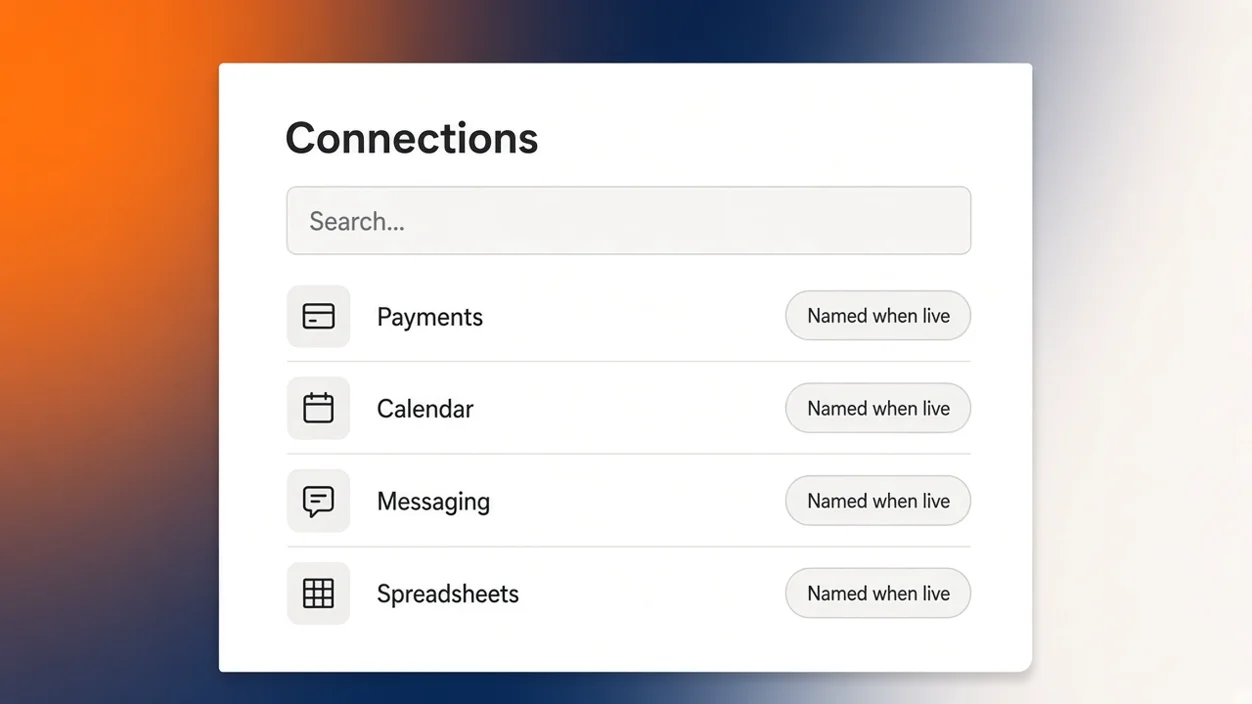
Website integrations: a Connections screen with a search bar and four categories, payments, calendar, messaging and spreadsheets

How a connection behaves day to day

Each connection has a "Test" button, a "Remove" button and a log of what was sent. That way you can check that a message reaches Slack or that a row lands in Google Sheets before the site opens to the public.

Forms in the preview run in test mode, so nothing reaches your clients or your connected tools while you prepare the site. The Integrations screen in your account then lists the linked tools and the projects that use them.

A connection is tested before launch and keeps a record of every send.

How to add a connection to your project

Start by describing the need in your request, for example "a 30% deposit on long services and an SMS the day before the appointment". Eqlo builds the screens and forms around that need. You then link Stripe or Twilio when you are ready to take payments or send reminders.

To go further, write a rule in the admin chat, such as "when an order moves to shipped, call my webhook". The automation then appears on the Automations screen, with a log of its own.

Encrypted keys and data you keep

Stripe keys, CRM credentials and other secrets are encrypted with AES-256. They stay masked in error messages, which are themselves kept for thirty days, and they are stored with the rest of the project in its hosting region. The full workspace export fits in one JSON file that holds no secrets, and your Stripe account stays in your name if you leave Eqlo.

If a specific feature brought you here

The pages below cover the features that rely on these connections, from bookings to the online store.

Questions about Eqlo integrations

Do connections cost extra?

No. Connections come with all three plans, the Free plan included. Only third-party services bill for their own use, such as Stripe fees on each payment or the price of SMS at Twilio.

Does my Google Calendar update both ways?

Yes. Your Eqlo appointments show up in Google Calendar through a private link, and busy slots in Google Calendar block bookings on your site. The sync runs every fifteen minutes.

My software is not on the list. What can I do?

Use the signed webhook to Make, Zapier or n8n, which connect thousands of apps. You can also write to hello@eqlo.app with the name of the software in the first line.

What happens if a send fails?

The connection log shows the failure, and sends to a CRM are retried. The "Test" button lets you check the setup once the problem is fixed.

Describe what you need, then link your tools

Five free projects, no card. Stripe, Google Calendar, Slack, Twilio, HubSpot and the other connections come with the Free plan.