Security at Eqlo, encryption, access and incidents
Eqlo security rests on four simple things: encrypted secrets, named access, versions that are never erased and a log of who did what. This page states exactly what is in place, and also what is not there yet.
AES-256Encryption of secrets
200Latest actions in the log
1 / 3 / 10Seats by plan
hello@eqlo.appIncident mail
01
Encryption of secrets and traffic
The keys you give Eqlo, such as those for Stripe, the app stores, SSO or a CRM, are encrypted with AES-256. Error messages mask those secrets, and the errors themselves are deleted after 30 days.
Every published site gets its HTTPS certificate automatically, including on your own domain. Traffic between your visitors and the site is therefore encrypted from the very first release.
Each project is hosted in the region chosen when it was created: the European Union, the United States or the United Kingdom. Its database, files and secrets stay there. The data residency page explains what leaves that region, such as payments handled by Stripe.
The whole workspace can be downloaded as JSON with secrets left out, and every project can be sent to GitHub. That way you keep a readable copy somewhere other than with us.
Secrets · encrypted with AES-256
Activity log · 200 actions
Export the workspace
Workspace settings: encrypted secrets, the activity log and a full export.
02
Who can reach what
You sign in to the studio with a code or a link sent by email, so there is no password to remember or to have stolen. On the Team plan, company sign-in (SSO) goes through Google Workspace, Microsoft Entra or Okta, and can be made mandatory for every address on your domain.
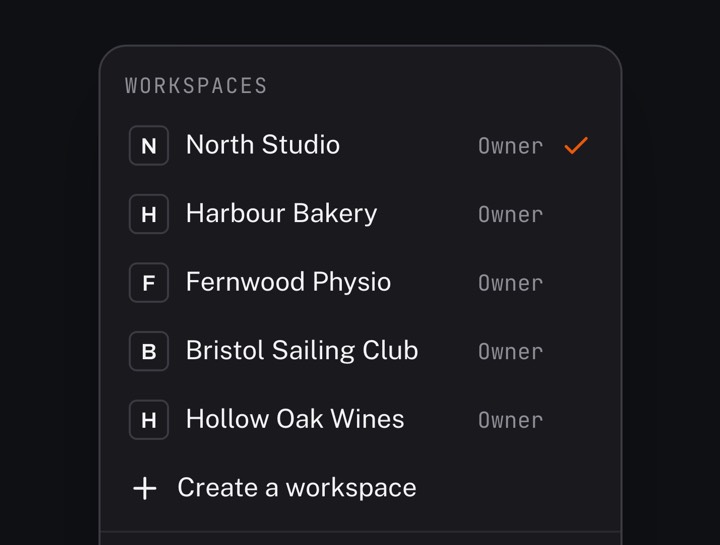
Everyone works from their own seat: one, three or ten depending on the plan. Invitations go out by email with a link valid for 7 days, and pending invitations already count towards your seats. When someone leaves the team, remove their access the same day.
Eqlo support opens a project when you invite us in, or when an alert from the host points to it. We do not train a public model on the content of your projects.
Four roles in a workspace
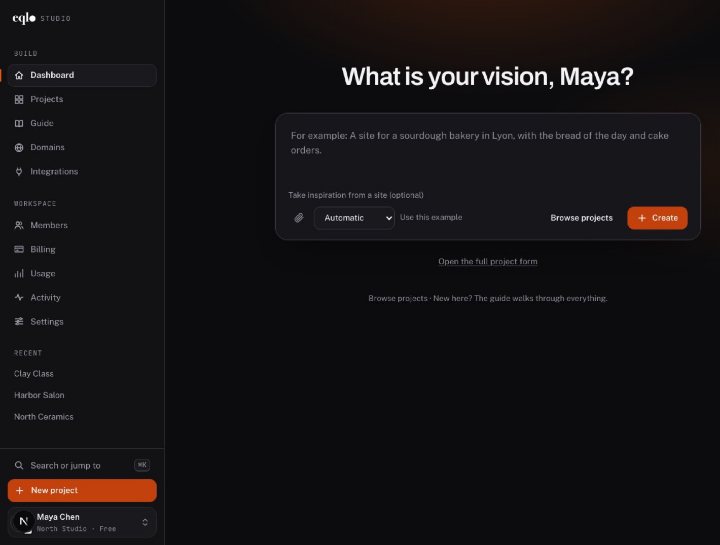
Only the owner handles billing, SSO and deleting the workspace. The admin publishes and manages members, the editor creates and edits projects, the viewer reads. Inside a site admin, custom roles set the visible tabs and the rights on each table.
An activity log you can export
The log keeps the latest 200 actions, filterable by person, project and type of action, with a CSV export of up to 50,000 rows. It shows who published, who exported and who changed a role.
03
Versions and rolling back
Each change leaves a dated trace, signed by the person who made it, with the detail of what moved. No version is ever erased, and you can compare two versions before restoring one.
On the admin side, if an edited version breaks for your users, the previous one comes back automatically. On the Team plan, each release can also go through a review before it goes live.
Eqlo does not offer a daily backup separate from this history. To keep a copy outside Eqlo, use the workspace export or the GitHub push.
04
Incidents and communication
The status page publishes a dated state of the service. It is updated by hand and does not replace live monitoring.
If you find a flaw in the studio or on a published site, write to hello@eqlo.app with the address involved and the steps to reproduce it. Send no customer files and no passwords. Once fixed, the flaw is listed and dated in the changelog.
A legal request receives only the information we hold. We do not sell the content of your projects.
05
Eqlo security you can check yourself
Without filling in a questionnaire, you can review the list of seats, the activity log, the version history of each project and the full workspace export.
Eqlo does not display SOC 2 or ISO 27001 certification. If your security questionnaire asks for them, write to us and we will answer with what is in place today.
A data processing agreement (DPA) can be provided. Eqlo does not offer a contractual uptime commitment (SLA).
Related pages
The privacy policy, data residency, the enterprise offer and the contact page complete this one.