AI app builder

Build a mobile app with AI, for iPhone and Android

You describe the screens and what people do on them. Eqlo builds native screens, tab navigation, loading and error states, and an icon set. A complete mobile app takes about one day. You test on your phone with a QR code that lasts 24 hours. Signed iOS and Android builds sit on Plus and Team.

Create your account

Five free projects. No card. About a minute.

Native screens and tabsQR test for 24 hoursSigned builds on Plus
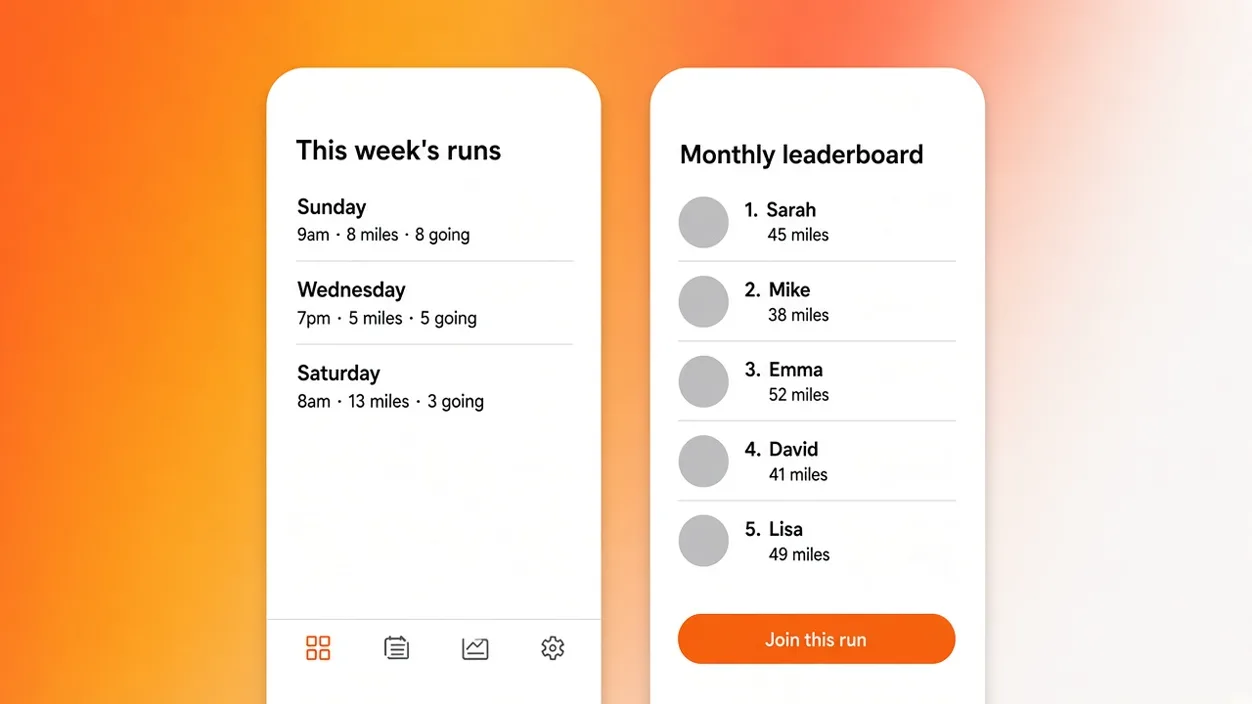
Two phone screens from an Eqlo project: a weekly run list and a member tab bar
Two phone screens from the same project: a week list, a tab bar at the bottom, and a join action.

A real app, not a website in a shell

Native screens and tab navigation

A real app is React Native screens, not a website stuffed into an icon. Eqlo writes the screens, the tab navigation, the loading states, the error states, and an icon set. Tabs sit at the bottom. Back does what a phone user expects. Type sizes follow the device, not a desktop layout squeezed into a pocket. You can open the project later and read React Native files. Take a 300-member running club as a worked example, with no club name. The first draft still lands in two to five minutes. A complete mobile app then takes about one day.

Notifications, camera, location, offline mode

If the sentence needs a photo, a pin on a map, a reminder, or a screen that still opens on the train, say so. Eqlo wires push notifications, the camera, location, and offline mode. Lists already opened stay readable without a signal. Permissions are asked with the copy that explains them. This is the gap people feel when they are handed a wrapped site and told it is an app.

Accounts, roles, and payment inside the app

Member apps and small tools need a sign-in and a way to take money. Eqlo adds authentication by email, Google, and Apple, plus forgot password and address verification. Roles and permissions sit in the same project. Organizations cover a multi-tenant case. Payments go through the Stripe account you connect, never an Eqlo middle account. Subscription, one-off payment, deposit, and a free trial are the shapes you can ask for. First testers can create a login before you talk to store review.

From the description to the store, in four stages

01

Describe the screens and what people do on them

The path from the description to the store starts with the screens and the loop people will repeat. Members book a group run, see who is coming, and open the directory. Attach a sketch, a PDF, or a screenshot of the current WhatsApp group if you have one. You do not need an Apple or Google developer account to see the first screens. The chat accepts English. The first draft lands in two to five minutes.

02

Test on your phone with a QR code

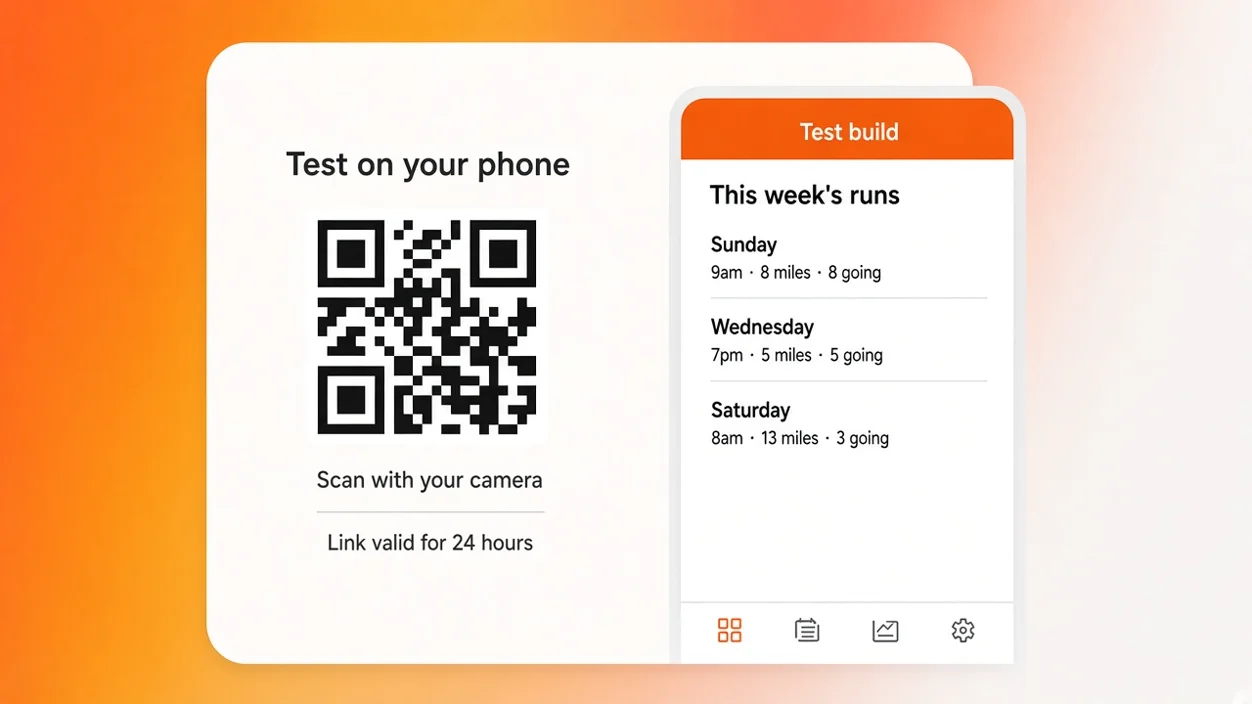
You scan the QR code from the project. The test link stays valid for 24 hours and installs a build marked as a test. Hand the same link to a few members. Watch where they hesitate. Fix those spots in the chat, or by clicking an element and writing an instruction that changes only that element. Each exchange creates a version you can restore. Mint a new link when the screens change.

03

Generate the signed file for each store

On Plus and Team, Eqlo produces a signed iOS build for the App Store and a signed Android build for Google Play. Icons, the launch screen, and listing screenshots are generated at the required sizes. Free stays at phone testing. The Apple developer account and the Google Play account stay in the customer name. Eqlo does not become the publisher of record.

04

Publish, then update without a new review

You complete the listing, the privacy text, and the age rating in the store consoles. Review still belongs to Apple and Google, with their rules. Content updates after that do not go back through a store review. You change the copy or the list in the project and publish it. A change that alters how the binary behaves still needs a new signed file. The first honest test remains the QR code on your own phone.

Phone test panel with a QR code whose link stays valid for 24 hours
The phone test panel: a QR code whose link stays valid for 24 hours, marked as a test build.

What Apple and Google require

What Apple and Google require is a binary that does something besides display a website, a privacy story that matches the code, and a reviewer who can sign in. Eqlo prepares the signed files. You still write the listing and answer the questions only you can answer.

The developer account stays in the customer name. Apple and Google bill their own accounts. Eqlo bills the Free, Plus, or Team subscription. You still write the privacy policy and the data declaration, because only you know what you store. Common refusals are a binary that is only a website, a login the reviewer cannot use, and a label that lists data the app never collects, or hides data it does. We do not click Submit for you. We do not invent a privacy story the app does not keep. The store publishing page walks through the five stages.

  • The developer account stays in the customer name
  • The privacy policy and the data declaration remain your job
  • The most common refusals: a website binary, a locked login, a mismatched data label
  • Signed iOS and Android files, with icons and screenshots at the required sizes

See how store publishing works

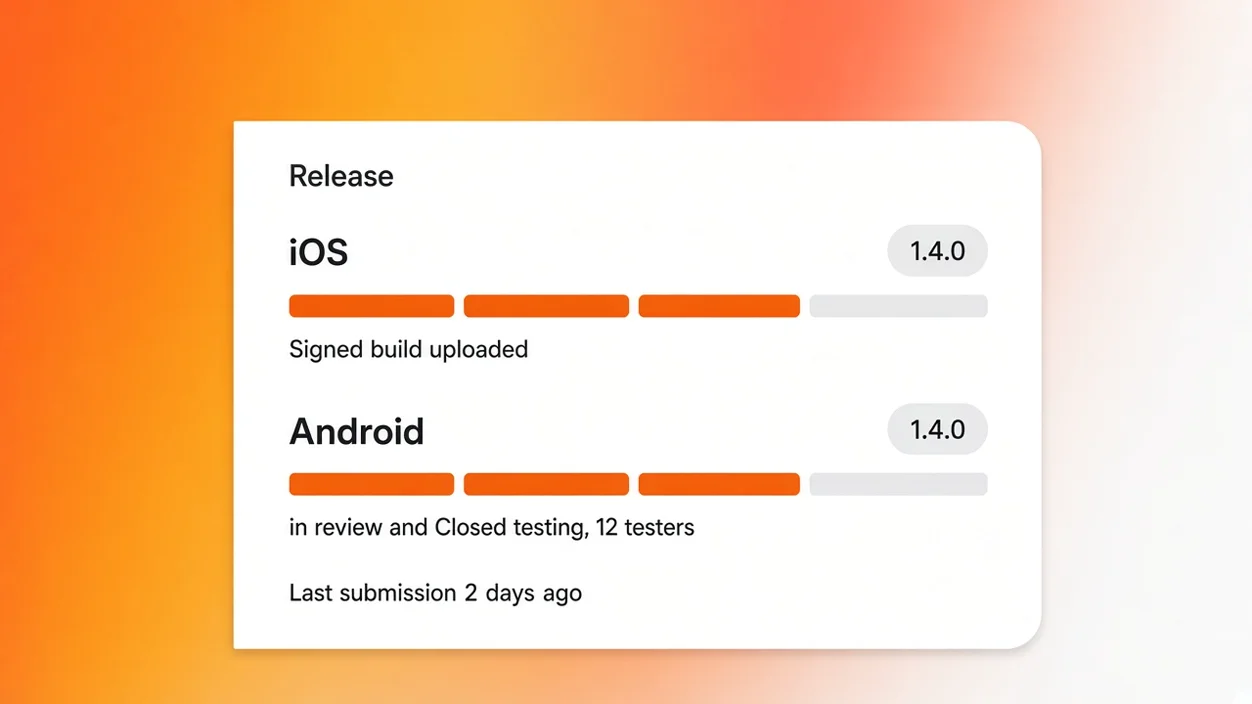
Release panel showing a signed iOS build in review and an Android build in closed testing
The release panel: a signed iOS build, an Android build, icons at the required sizes, and a version number you can bump.

The apps people build most

The apps people build most fall into four shapes. Each one is a different set of screens and permissions, not a blog with a new icon. A complete mobile app takes about one day.

Membership app

Events, a member directory, dues, and a notice when something changes. Take a 300-member running club as a worked example, with no club name. The nonprofit app page covers the membership form and the association Stripe account. Write to hello@eqlo.app if you run a nonprofit and want the reduced terms. We do not publish a percentage here.

Tracking app

Sessions, a history, and a progress screen. Useful for workouts, visits, or a habit someone opens every day. Offline mode keeps the last lists readable. Push notifications remind without a new store file. The first draft still lands in two to five minutes.

Ordering app

A catalogue, a cart, and a checkout inside the app. Payments go through the Stripe account you connect. Stripe Tax handles sales tax and VAT from the buyer country. Take this as a worked example for a small shop that already sells in person. A store-shaped project takes about half a day on the web, and about a day when the same work becomes an app.

Team tool

Expense notes, a stock check, a supplier list. Roles keep a reader from publishing. Organizations separate two teams. CSV import and export move the table you already have. The internal tools page lists the shapes teams ask for most. Direct read access to the Postgres database stays available for developers.

Abstract illustration of native app features: tabs, camera, location, and offline lists
Native features from one project: tabs, notifications, camera, location, and lists that stay readable offline.

The same project also ships the website

The same project also ships the website because the app and the pages share one Postgres database. You do not buy a second product to have a public page and a store listing.

One database for the app and the site

The schema is created from the description. You can see it and change it. Members, events, and orders live once. CSV import and export sit on that table. Developers get direct read access. Daily backups run, with 30-day retention. You pick the region at creation: European Union, United States, or United Kingdom.

Web pages from the same description

The generator writes marketing pages in the same pass: navigation, copy, forms, and placed images. Those pages are pre-rendered at build time. Title, meta description, heading tree, and structured data leave in the first HTML. A brochure site you can publish then takes one to two hours of back and forth.

A subdomain at once, then your own domain

Hosting starts on a projet.eqlo.app subdomain. You attach your domain next, with DNS checks and an SSL certificate. The sitemap is generated and submitted when you publish. GitHub sync runs in both directions from Plus. The npx eqlo CLI handles pull, push, migrations, and deploy.

What it costs

What it costs is three plans. Free is $0, one seat, five projects, phone testing, and no card. Plus is $19 a month, three seats, unlimited projects, and signed store builds. Team is $49 a month, ten seats, and the same builds.

Free
1 seat, $0, phone testing
Plus
3 seats, $19 / month, signed builds
Team
10 seats, $49 / month, signed builds
QR test link
Valid 24 hours
Apple and Google accounts
Stay in your name
GitHub export
Manual on Free, automatic from Plus
Card to start
No

The pricing page lists the rest. Apple and Google bill their own developer accounts. Eqlo does not take a cut of store sales. A nonprofit writes to hello@eqlo.app. We do not invent a percentage on this page.

Frequently asked questions

Is the app a website wrapped in a shell?

No. Eqlo ships React Native screens with tab navigation, loading and error states, and an icon set. Push notifications, camera, location, and offline mode are available when you ask for them. If you only need a website, build a website. If you need an app, you get an app.

Can I put it on the App Store without owning a Mac?

You can describe, test, and correct without a Mac. The signed iOS file is produced by Eqlo on Plus and Team. You still need an Apple Developer account and the App Store Connect listing, which you complete in a browser. A Mac is useful later if you open the repository locally. It is not required to send the first file.

How do testers install the app before review?

They scan the QR code from the project. The link stays valid for 24 hours and installs a build marked as a test. You mint a new link when the screens change. This is how you find the confusing tab before Apple does.

What does Apple refuse most often on a first app?

A binary that is only a website, a login the reviewer cannot use, and a privacy label that lists data the app never collects, or hides data it does. Eqlo refuses the wrapper case. You still write the privacy policy, because only you know what you store. Review stays with Apple and Google.

Does one project cover iPhone and Android?

Yes. Screens, copy, accounts, and the Postgres database stay in one place. You submit two packages because the stores are two programs. You do not maintain two products. Content updates do not go back through a store review.

Who owns the store listing and the code?

You do. The listing sits on your developer account. The code is React Native, with GitHub sync from Plus. A full export is available at any time. Eqlo is the builder, not the publisher of record.

What does a store-ready build cost on Eqlo?

Free covers phone testing, one seat, and five projects, with no card. Plus is $19 a month, three seats, and signed builds. Team is $49 a month and ten seats. Store developer fees are billed by Apple and Google. Eqlo does not add a surcharge per submission.

Describe the screens and test them on your phone

Five projects, one seat, a QR test link that lasts 24 hours, no card. Plus is $19 a month when you need signed iOS and Android files.