Bistro and brasserie
A daily special that keeps changing, and table requests for both evening sittings.


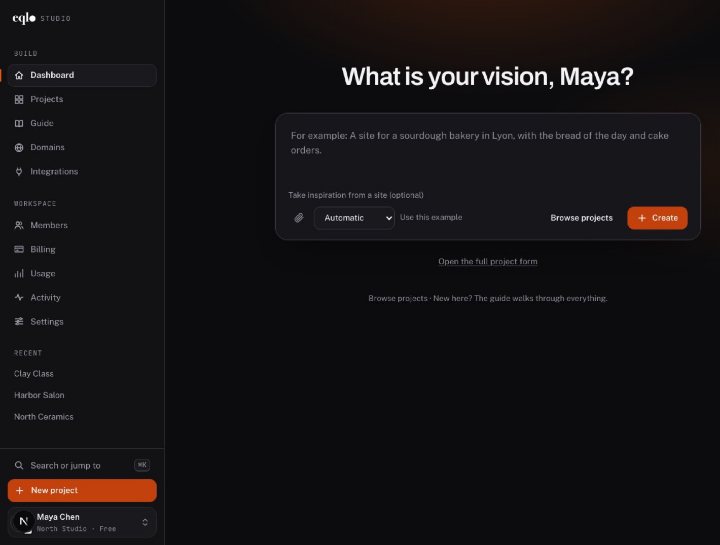
Create, edit and publish, then run your website and your app from their own dashboard. Every feature shown in real screenshots.
See the features
A Next.js project in React and TypeScript, sent to your GitHub repository. A spec change made in the repository comes back to Eqlo.
See the developer page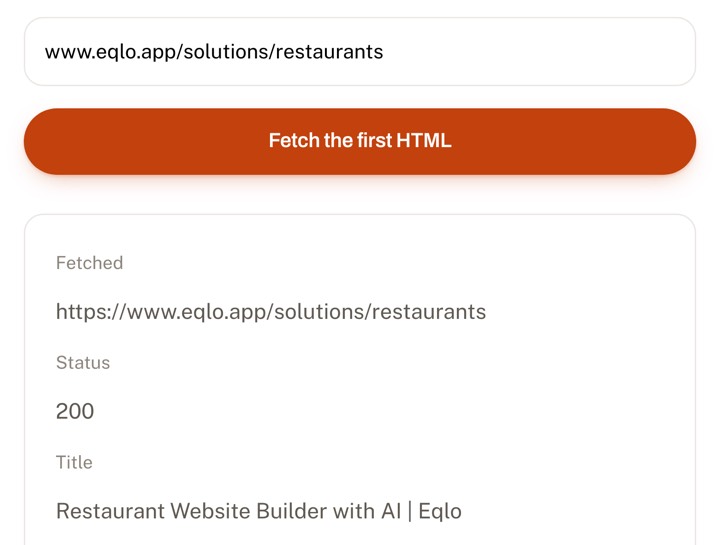
Paste a URL. In thirty seconds you see exactly what Google receives before any JavaScript runs.
Check a URLBefore choosing where to eat, people check three things: what is on the menu, when you are open, and how to get a table. Eqlo is a restaurant website builder that puts all three on your home page, with a text menu you keep current yourself and a form for table requests.

A bistro turns its tables twice a night, a tasting room sells one set menu, and a food truck parks somewhere new every day. You describe your place in a few sentences, and Eqlo shapes the menu, the pages and the booking form around it.
A daily special that keeps changing, and table requests for both evening sittings.
A steady menu, takeout with pickup at the counter, and payment taken online.
A single tasting menu, careful dish photos, and dinners booked with a deposit.
This week's locations on the home page, and a short menu that is quick to change.
Long opening hours, a detailed drinks list, and a vegan tag on the items that qualify.
A weekly rotating list, and tasting nights guests can book online.
A quote form asking for the date, the guest count and the budget, sent to your inbox.
Breakfast and dinner hours side by side, with a menu open to guests from outside.
Whatever the format, the menu is the page guests open before they leave home, so it has to be right on the day they read it.
A guest who finds last season's menu starts doubting everything else on the site. On an Eqlo site, the menu shows as text, grouped by category, with a price and a tag on every dish. It reads well on a phone, with no zooming and no file to download.
The phone rings during service, exactly when nobody can pick it up. The table request form collects the name, the date, the time and the party size, and each request waits in your site admin until you confirm it.
A locked door is the worst possible first visit. Eqlo writes your hours on the site and also declares them to Google in the data that describes a restaurant, which helps search results show them correctly.
Plenty of restaurants still post their menu as a PDF or a photo. On a phone, guests have to zoom in, wait for a download, and hunt for a price inside a blurry image. For a search engine, that file says very little about your cooking.
On a site built with Eqlo, every dish becomes a line of text with its name, description, price and, if you like, a photo. Dishes sit in categories, up to twelve of them, with forty dishes in each. A short tag marks a dish as vegetarian, gluten-free or house-made.
The menu also lives in your site admin as a table. You fix a price on its row, add the special of the day or remove a dish that sold out, and the Menu page refreshes on its own within a minute, without reopening the studio.
Nothing stops you from keeping a PDF for printing. The text version is the one that lets someone searching for a specific dish nearby find your restaurant.
An illustrative scenario, with no real restaurant behind it. A forty-seat bistro in Portland serves two sittings each evening and changes its special three times a week. Until now, bookings came in by phone and ended up in a notebook by the register. The owner describes the bistro, the menu and the hours to Eqlo in a few lines.
Three things change once the site is live. Table requests land in the admin calendar with the party size, and the owner confirms them between sittings. On the night the short rib runs out, she deletes its row from the table and the online menu catches up within a minute. Takeout dishes are now paid online and picked up at the counter, with no delivery app in the middle.

Your cuisine, your neighborhood, today's hours and the table request button all appear on the first screen. A photo of your dining room reassures people more than a stock plate, because guests want to see where they will sit.
This is the most visited page on the site by a wide margin. It shows each category with its dishes, prices and tags, and it follows the admin table as soon as you edit it.
The form asks for the date, the time, the party size and a free note for an allergy, a high chair or a birthday. Every request goes to the bookings calendar in your admin.
Who cooks, where the produce comes from, how many seats you have, whether there is a patio and whether the entrance is step-free. Those are the questions people call about, answered once in writing.
Address, an embedded map, transit, parking and a phone number guests can tap to call. Mention the neighborhood as well as the street, since many people search for a place to eat by area before they search by name.
Dishes, categories and prices live in a table in your site admin. A team member can correct a price or remove a sold-out dish without touching anything else, and the online menu updates within a minute.
Each request arrives marked Pending. You switch it to Confirmed or Canceled, and an automation can send the guest a confirmation email at that moment.
For a tasting dinner or a chef's table, online booking offers set time slots. A deposit from 0 to 100% of the price is paid by card into your Stripe account, and a reminder goes out by email or text before the meal.
The site runs on your own address, such as cornerbistro.com, which you can buy directly inside Eqlo. The security certificate installs itself, and the domain stays registered to you.
Delivery apps bring you new customers, and they charge a commission on every order. The math gets worse when a regular who already knows your address also goes through the app to order their Friday dish.
With Eqlo, takeout dishes become products in your site shop. The guest picks up in store and pays online, including with Apple Pay on their phone. The money goes to your Stripe account, and Eqlo keeps none of it.
You can also accept payment at pickup. The guest then gets a confirmation email, you call them if needed, and you mark the order as paid when they collect it.
To let people know they can order directly, print your site address on receipts, bags and the chalkboard. Your site statistics then show how many visits come from Instagram, from Google or from a direct link.
More on booking, selling online and the other industries we cover.
Yes, for online bookings by time slot. Eqlo's calendar subscribes into Google Calendar, Apple Calendar or Outlook through a private link, and busy times in your Google or Outlook calendar block the matching slots on your site every 15 minutes.
Only where a no-show really costs you, such as a tasting dinner with limited seats. The Bookings screen then shows your no-show rate over 90 days, with and without a deposit, so you can check that it helps.
You do. You connect your Stripe account, or create one from Eqlo, and payments go straight to you. Stripe charges its own card fees, and Eqlo takes no commission.
Open your site admin, delete the dish row in the menu table, and the Menu page updates within a minute. A team member can do it for you if you give them admin access limited to the menu.
Food rules require allergen information for the dishes you serve, and they vary by country. You can note allergens in each dish description, and keeping them accurate after every menu change is your responsibility.
Yes. Dishes become shop products with an in-store pickup option, payment by card or at pickup, and a confirmation email sent to the guest for every order.
With a dedicated form that asks for the date, the number of guests and the budget. Each request reaches the project inbox and your email, so you can prepare your reply with all the details in hand.
Building is free, with five projects and an eqlo.dev address such as cornerbistro.eqlo.dev. The Plus plan, at $19 a month, publishes the site on your own domain.
Five free projects, no card required. Deposits and takeout payments land in your own Stripe account, never in ours.