Sports club
Sessions and races with a capped number of places, a sign-up per session and the list of who is coming.


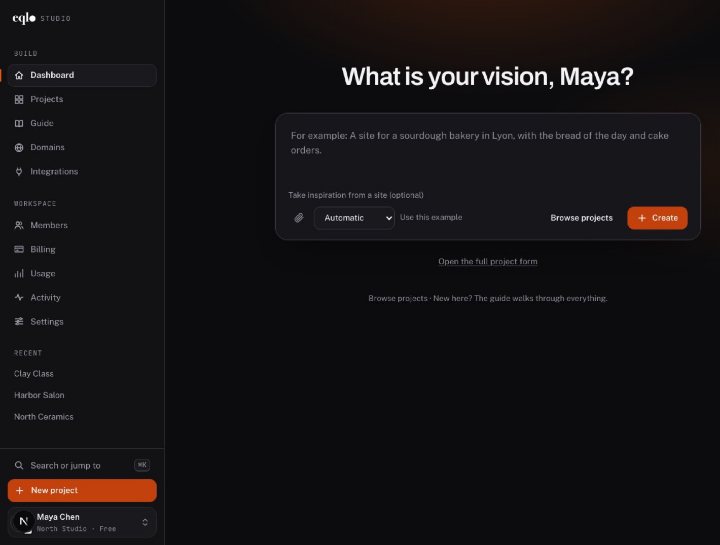
Create, edit and publish, then run your website and your app from their own dashboard. Every feature shown in real screenshots.
See the features
A Next.js project in React and TypeScript, sent to your GitHub repository. A spec change made in the repository comes back to Eqlo.
See the developer page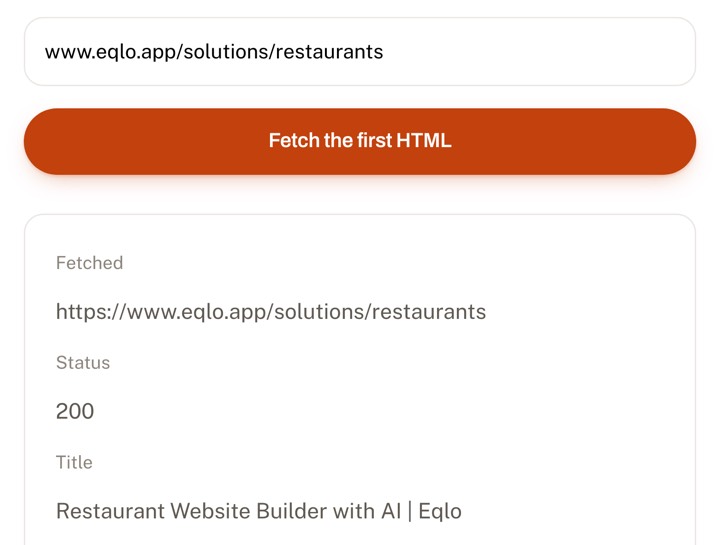
Paste a URL. In thirty seconds you see exactly what Google receives before any JavaScript runs.
Check a URLMembers reach for their phone to check what happens this week and whether there is still room. With Eqlo as your nonprofit app builder, one sentence about your organization is enough to get the events, the sign-ups, the members-only directory and the dues. The committee tries it on their own phones with a QR code before anyone pays a cent.

Every organization puts something different first. A sports club lives on its sign-ups, a parents’ association on news that travels fast, an alumni network on its directory. Describe yours in a sentence and the screens, the tables and the membership form follow that description.
Sessions and races with a capped number of places, a sign-up per session and the list of who is coming.
The season’s program, bookings for each show and a signup form for the newsletter.
Upcoming meetings, volunteer sign-ups for the school fair and the names of the class representatives.
Outings with a place and a date, a members-only area and the photos of past events.
A donation page paid through Stripe, news from the field and a form for new volunteers.
A public calendar, a volunteer rota by role and a contact form for partners.
A directory reserved for paying members, events and documents kept behind the member sign-in.
Profiles by graduating year, the annual reunion with its sign-ups and a supporting membership.
The common thread is simple: members should find the date, the place and the latest change without asking anyone. When the answer is in the app, the secretary stops answering the same question thirty times.
Committees tend to picture a large app with a dozen sections. In practice, members return to three screens, so build those first and keep the rest for a later season.
Each event shows its date, its place and the number of places still free. A member signs up with a short form instead of replying in a group chat, and the committee sees the list of names in the admin, ready to export as a CSV file.
The directory sits on a page reserved for signed-in members, and Google never indexes it. Members sign in with a code sent by email, valid for 15 minutes, or with a password. If someone leaves, the committee blocks the account and signs it out of every device.
A notice at the top of the first screen carries the change of time or the cancellation for bad weather. You edit it from the admin and it shows at once, with no new store review. Eqlo does not send push notifications, so urgent news still needs an email or a text message.
This scenario describes no real club. A running club of three hundred members holds three runs a week, collects a yearly membership fee and keeps its member list in a spreadsheet. The secretary writes two sentences describing the runs, the sign-ups and the membership, then imports the spreadsheet into the admin.
For a week, fifteen committee members and regular runners open the test link without creating any Apple or Google account. They ask for two changes: an emergency contact field on the sign-up form, and a directory that shows only the first name and the role. Each change is one sentence typed in the chat, and the app updates at once.

The treasurer gains the most time here. Three pieces do the work that used to fill a binder.
Name and contact details, plus what your organization needs: a category, a parental consent for a minor, a medical certificate sent as a file. Each answer becomes a row in the admin, so nobody types up paper forms at the start of the season.
You connect the organization’s Stripe account, and every membership fee or donation is paid straight into it. The level, the amount and the renewal date are stored for each member. Eqlo takes no commission on that money.
Fourteen days before a membership ends, the member receives an email with a Stripe payment link, and paying renews the membership for a year. A “to renew” filter shows the treasurer who is still outstanding.
Building and testing in the nonprofit app builder costs nothing. Publishing involves the stores’ own fees and, only if you want signed builds, an Eqlo plan. Store prices were checked in September 2026 and can change, so look at Apple’s and Google’s pages before you sign up.
| Item | Amount | Note |
|---|---|---|
| Test link and QR code | $0 | no Apple or Google account |
| Eqlo Free plan | $0 | five active projects, one seat |
| Eqlo Plus plan | $19 a month | signed iOS and Android builds |
| Google Play account | $25 once | a one-time registration fee |
| Apple Developer Program | $99 a year | Apple runs a fee waiver for eligible nonprofits |
Apple’s fee waiver is a request you make to Apple, with proof of your nonprofit status, and Apple alone decides. Eqlo has no part in that process.
A sensible order is to test first and open the developer accounts only after the committee has voted for the app. Until then, nobody has spent anything.
Open the Apple and Google accounts as an organization, not under the chair’s personal name. Committees change every few years, and an app tied to a former member’s account becomes very hard to update. Both stores ask an organization for a D-U-N-S number, which is free.
On Plus or Team, you connect the App Store Connect key and the Google Play service account. Eqlo checks both with the stores, stores them encrypted, builds the signed files and uploads them to TestFlight and to Google Play’s internal test track. The listing text, the privacy answers and the icon are prepared for you; the store screenshots are yours to capture.
Google asks new personal accounts to run a closed test with 12 testers for 14 days before going public. An organization account avoids that step, and a club already has a dozen willing testers if it ever applies.
For the store steps or for a public website, these pages go further.
No. The test link opens on iPhone and Android without any developer account. Each link lasts 24 hours, counts how many times it was opened and can be revoked. You only need the store accounts on the day you publish.
Eqlo has the same prices for every organization: Free at $0, Plus at $19 and Team at $49 a month. The Free plan covers building and testing the whole app. On Apple’s side, eligible nonprofits can ask for the yearly fee to be waived.
Yes. Plus includes three seats and Team ten, with roles such as editor or viewer. You can also invite the treasurer to this project’s admin alone, with a custom role that opens only the dues table, and the activity log records who changed what.
The organization remains the data controller. You can export the member list as a CSV file at any time, delete an account on request, and ask hello@eqlo.app for a data processing agreement.
Yes. Put the directory on a page reserved for Premium members and grant Premium until the end of the membership year. When that date passes, the page closes to the member until they renew.
You change the roles in the Eqlo workspace and hand over the developer accounts, which belong to the organization. The app, its data and its history stay where they are.
Yes, because the app and the website are the same project. The website presents the organization and takes new members online, and the store app displays that same site, so an update to the events shows in both places at once.
The Free plan covers five active projects with no card. Build the app, send the QR code to the committee and decide together before paying any store.