An app that is useful on its own
Apple turns down apps that add nothing to a site viewed in Safari. Give people a reason to keep the icon on their home screen, such as an account area, their bookings or content they come back to.

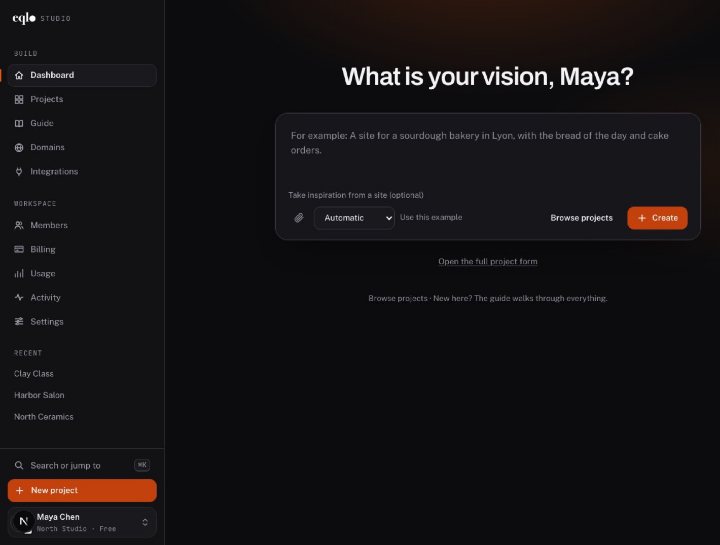
Create, edit and publish, then run your website and your app from their own dashboard. Every feature shown in real screenshots.
See the features
A Next.js project in React and TypeScript, sent to your GitHub repository. A spec change made in the repository comes back to Eqlo.
See the developer page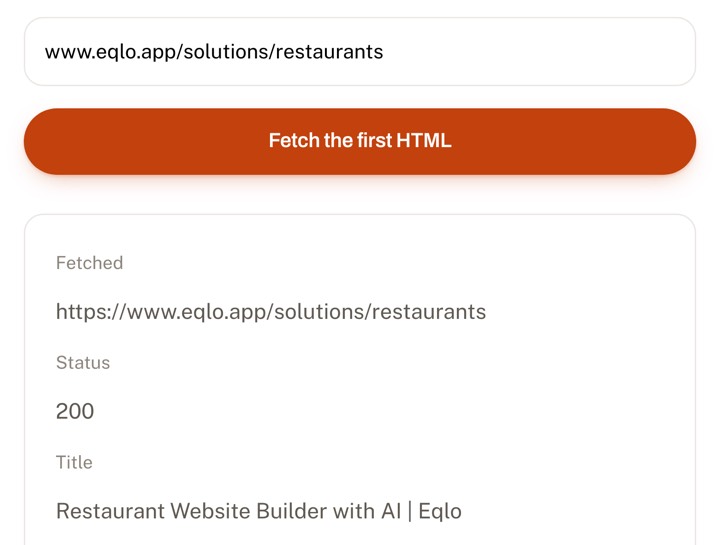
Paste a URL. In thirty seconds you see exactly what Google receives before any JavaScript runs.
Check a URLHere is how you build an iPhone app without coding: describe it in a sentence or two, then scan a QR code to open it on your iPhone before paying Apple anything. When it works the way you want, Eqlo produces the signed build and sends it to TestFlight, ready for you to submit.
The App Store version of your project is your published app shown inside a native shell, with its own icon and a full-screen display. It is not rewritten screen by screen. That is why any change you publish on the site appears in the app straight away.
The app comes with a tab bar at the bottom, an install prompt with the tip for iPhone users, and pages that stay readable offline once they have been opened. Every plan, Free included, lets you download the Expo and React Native source if a developer wants to take it further.
This design matters at review time. Apple rejects apps that merely repackage a website, so yours has to be useful on its own: a members area, bookings, a loyalty card or tools your customers open every week. A brochure site turned into an app is the case most likely to be refused.
Apple asks every publisher to declare what the app collects, in the App Privacy section of App Store Connect. The declaration has to match what the app actually does, and a mismatch in either direction can lead to a rejection.
Eqlo generates the App Privacy answers and the iOS declaration file, then checks that the two agree. Each permission you enable, such as the camera, photos or location, comes with the explanation iPhone users will read. You review everything, adjust it if needed, and remain responsible for what you declare.
Apple reviews every app by hand, and these three points catch first-time publishers most often.
Apple turns down apps that add nothing to a site viewed in Safari. Give people a reason to keep the icon on their home screen, such as an account area, their bookings or content they come back to.
If people must sign in, the reviewer needs to get in too. Add a demo email and password in the review notes, and keep that account active until the review is over.
App Store Connect asks for a name, a subtitle, a description, keywords, an icon and screenshots. Eqlo prefills the text from your site within Apple’s character limits and generates the icon, while you take the screenshots on your iPhone from the test version.
These fees go to Apple, not to Eqlo, and they apply whatever tool builds the app. The amounts were checked in September 2026, so confirm them on Apple’s site before you pay.
| Item | Amount | When |
|---|---|---|
| Apple Developer Program | $99 per year | when you enroll, then every year |
| Trying the app by QR code | $0 | no developer account needed |
| Signed iOS builds with Eqlo | $19 per month | Plus plan |
| Apple commission on Stripe payments | none | for goods and services used outside the app |
As long as you stay with QR code testing, you pay nothing to Apple or to Eqlo. It is the right moment to check the app with real users before spending any money.
A registered nonprofit can ask Apple to waive the developer program fee. The request goes through Apple and takes a few weeks to process.
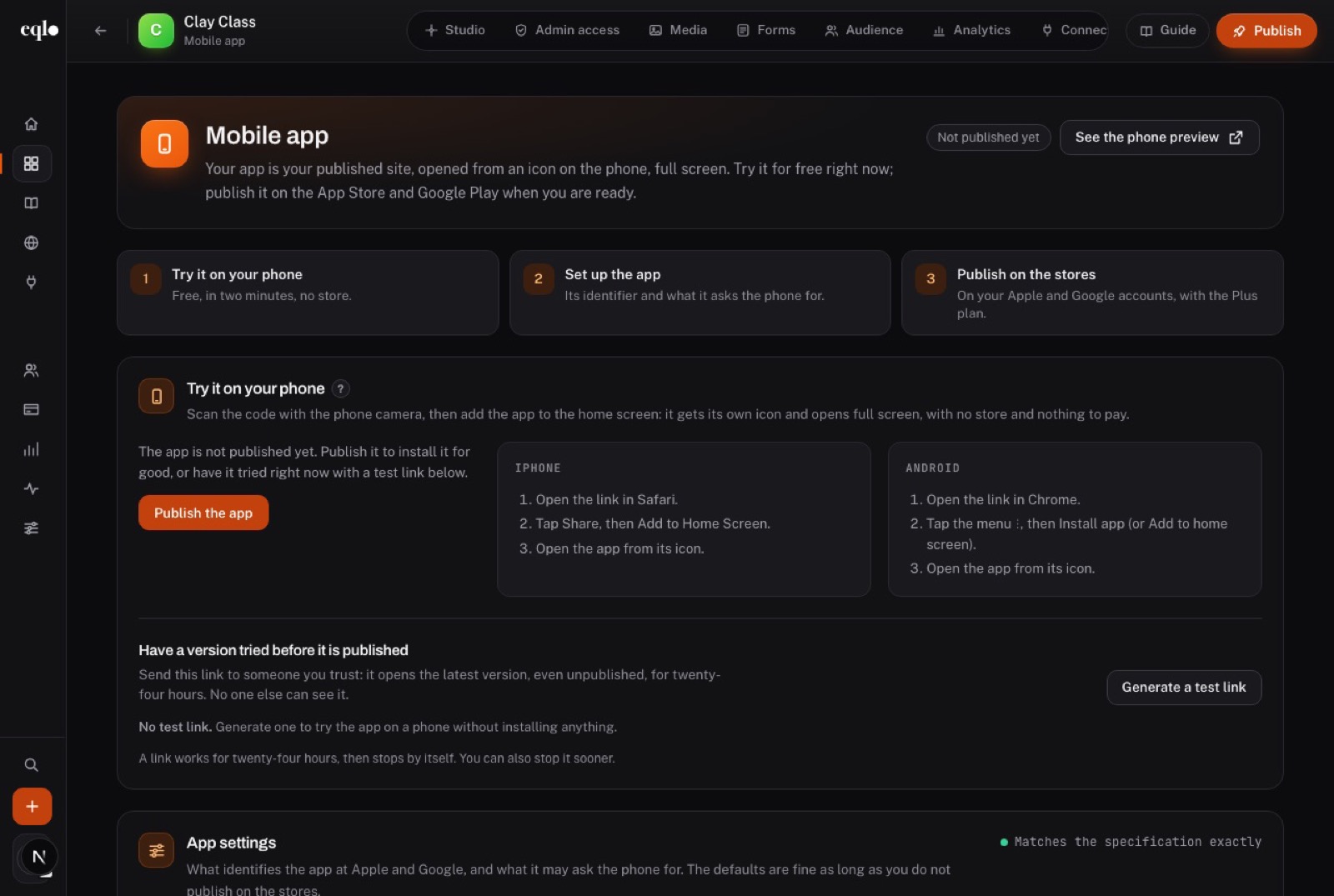
Eqlo creates a test link with a QR code, valid for 24 hours. Scan it with the camera and the app opens on your iPhone, with no Apple account needed, then add it to your home screen to see it full screen with its icon. The link counts how often it is opened, and you can revoke it at any time.
Select a section in the preview and say what you want different, such as "add a share button on the detail page" or "sort the list by newest first". You can compare two versions and return to an earlier one whenever you like.
On the Plus and Team plans, you connect your App Store Connect key, which Eqlo checks with Apple and stores encrypted. Eqlo then builds the signed iOS file, shows its progress live and uploads it to TestFlight, with no Mac and no Xcode. You submit it for review from App Store Connect.
Each of these is quick to fix, as long as you spot it before you submit.
This is the most frequent refusal for apps built from a site. Make sure returning users find something concrete, and show it in your screenshots: their bookings, their member card or their order history.
The reviewer cannot sign in and rejects the build. Try the demo email and password from a device that is not yours, just before you submit.
You declare location when the app never asks for it, or the reverse. Tick exactly the permissions you enabled in Eqlo, because declaring too much is as risky as declaring too little.
A page that expects existing data can look broken on an empty account. Test with a brand new account, because that is exactly what the reviewer does.
Here is the usual sequence for a simple first app. The first two stages depend on you, and the next three depend on Apple.
| Stage | Usual time |
|---|---|
| First version you can scan | as soon as it is generated |
| An app you are ready to submit | a few rounds of edits, often a day |
| Apple developer account approval | usually 24 to 48 hours, longer if Apple asks for verification |
| Store listing in App Store Connect | one to two hours |
| Apple review | often 24 to 48 hours |
| Content changes after launch | live once you republish, with no new review |
Allow about a week between your first sentence and an app visible on the App Store, corrections included. Apple guarantees no review time, and a rejected first submission adds a full cycle.
The Android version, the publishing guide and the plans go further.
Yes. You describe the app, correct it in the chat, test it by QR code and send the signed build to TestFlight, all from Eqlo. Code only comes into play if a developer wants to extend the downloadable Expo project.
No. The signed iOS build is produced on the Eqlo side, so no Mac or Xcode is involved. What you need is an Apple developer account registered to you, plus a web browser to fill in the App Store Connect listing.
$99 a year, paid directly to Apple, whatever tool built the app. While you stay with QR code testing, you need no account and owe nothing.
Yes. The same project produces a signed Android build and sends it to the internal test track of Google Play. Google charges a one-time $25 fee, and new personal accounts must first run a closed test with 12 testers for 14 days.
Apple gives the reason in App Store Connect. You fix the page or the listing in Eqlo, generate a new signed build and submit it again.
You do, because the developer account is in your name. You can also download its Expo and React Native source on any plan.
Not for what happens on the site. Since the app displays your published site, new text, prices or pages appear once you republish. A new permission or a new icon requires a new signed build and another review.
Yes, through your own Stripe account, for goods and services used outside the app, such as a haircut or a delivery. Apple requires its own in-app purchase system for digital content used inside the app, and Eqlo does not set that system up.
Start free with five projects and a QR test link valid for 24 hours, no card required. Signed builds come with the Plus plan, at $19 a month.