Features

Eqlo features: everything you can build and run

Eqlo features cover two jobs: building a website or an app from one sentence, then running it day to day from an admin that comes with every project. The screenshots on this page are taken from the product itself, on real example projects.

  • No code to write
  • Hosting included
  • Free plan, no card
  • English and French
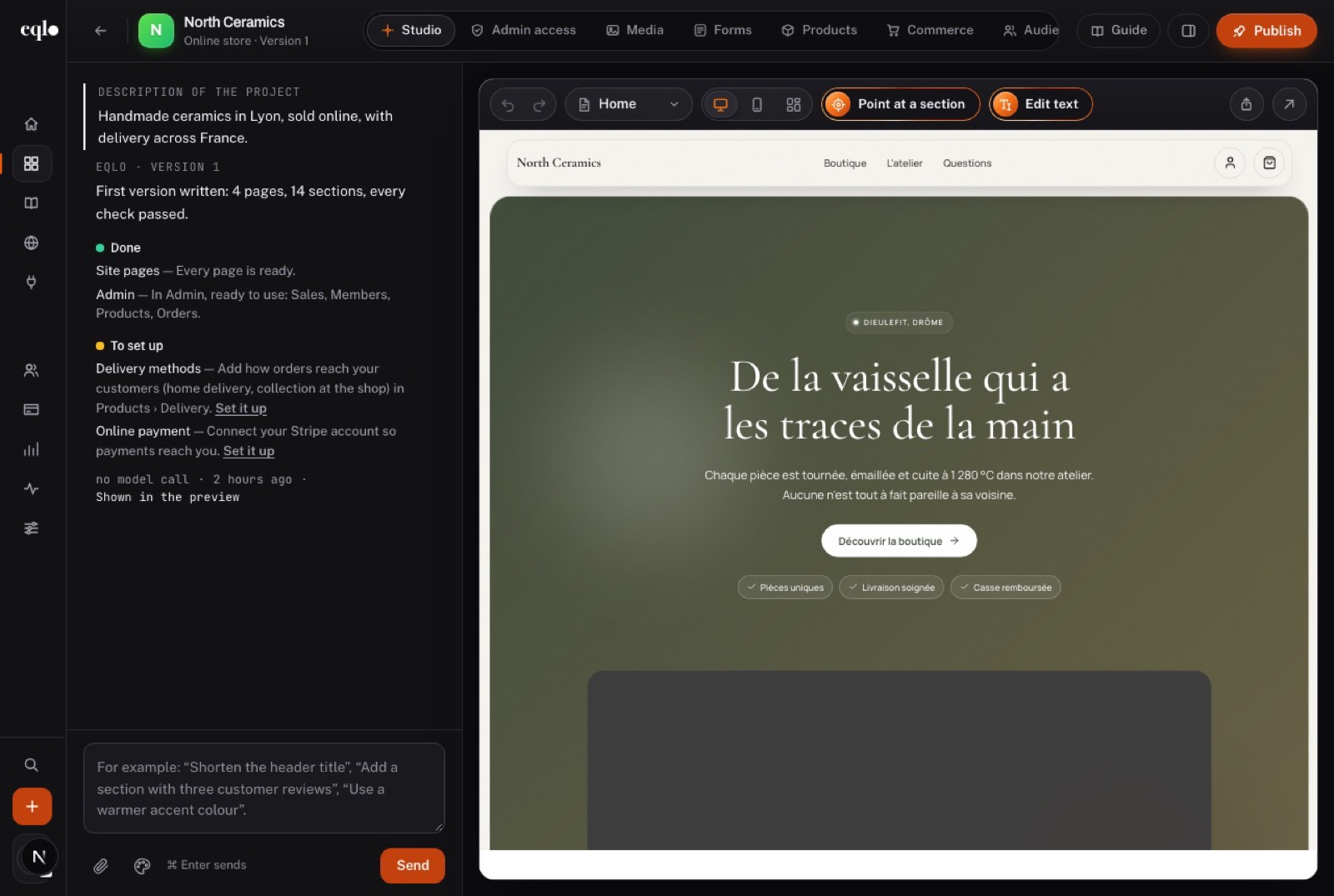
Eqlo features in the studio: the North Ceramics online store, its first version summary on the left and the live preview of the home page on the right
Create

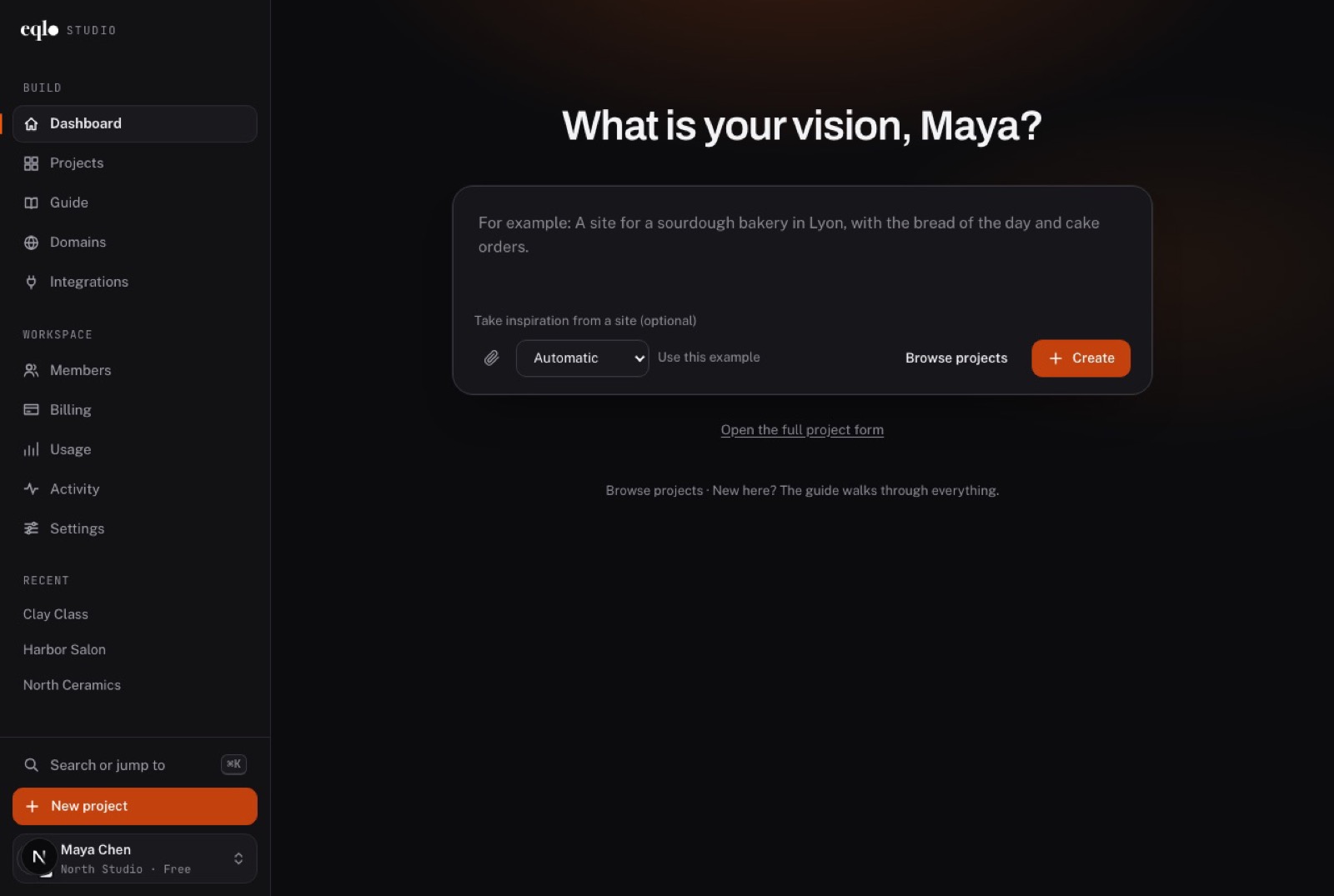
Start from a sentence about your business

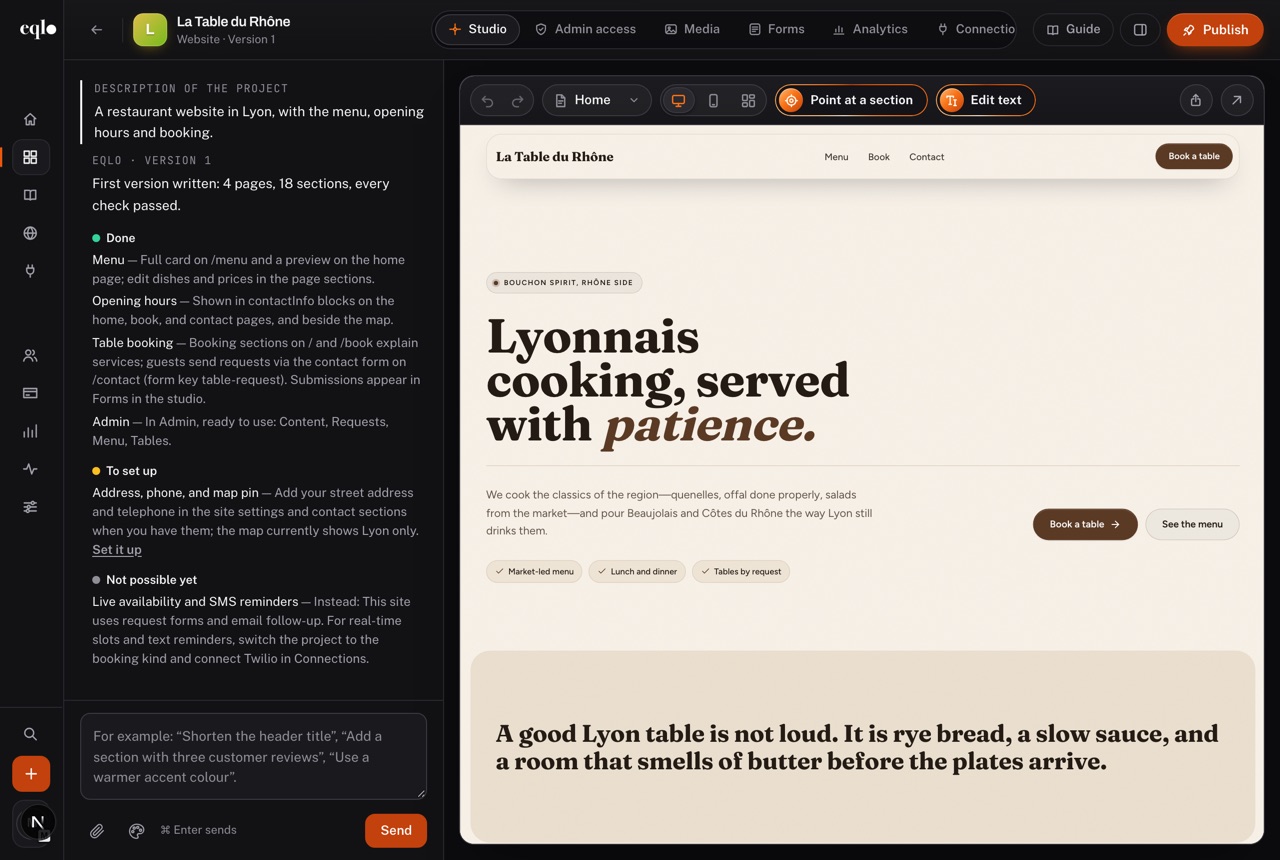
Type what you do, where, and for whom. Eqlo picks a style, writes the pages, sets up the forms and the admin, then lists what is done, what is left to set up and what is not possible yet.

  • A business website, an online store, a booking site, a landing page, a portfolio or a mobile app
  • An optional site to take inspiration from, and text files such as a price list in CSV
  • Photos from your own library or from Pexels, never generated by AI
  • The preview next to the conversation, on desktop and on phone
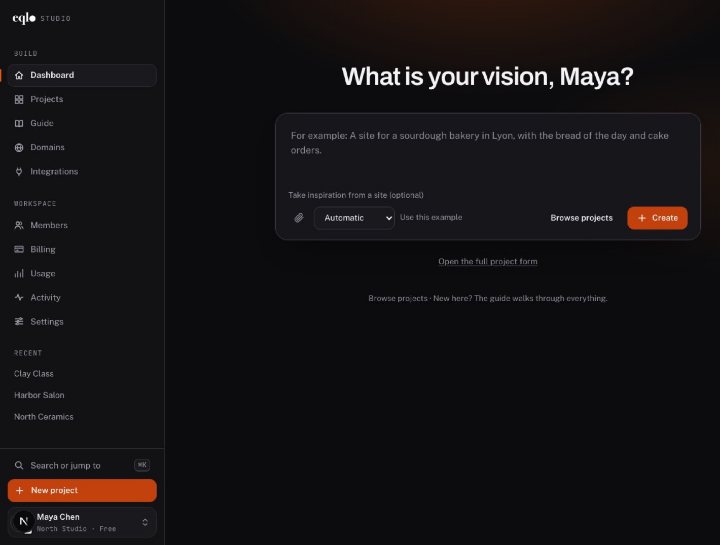
Eqlo dashboard asking “What is your vision, Maya?”, with a box to describe the project, an optional inspiration site and a Create button
Studio view of La Table du Rhône, a restaurant website in Lyon: the summary of done and to-do items on the left, the home page preview on the right
Edit

Change the site by asking, or by clicking

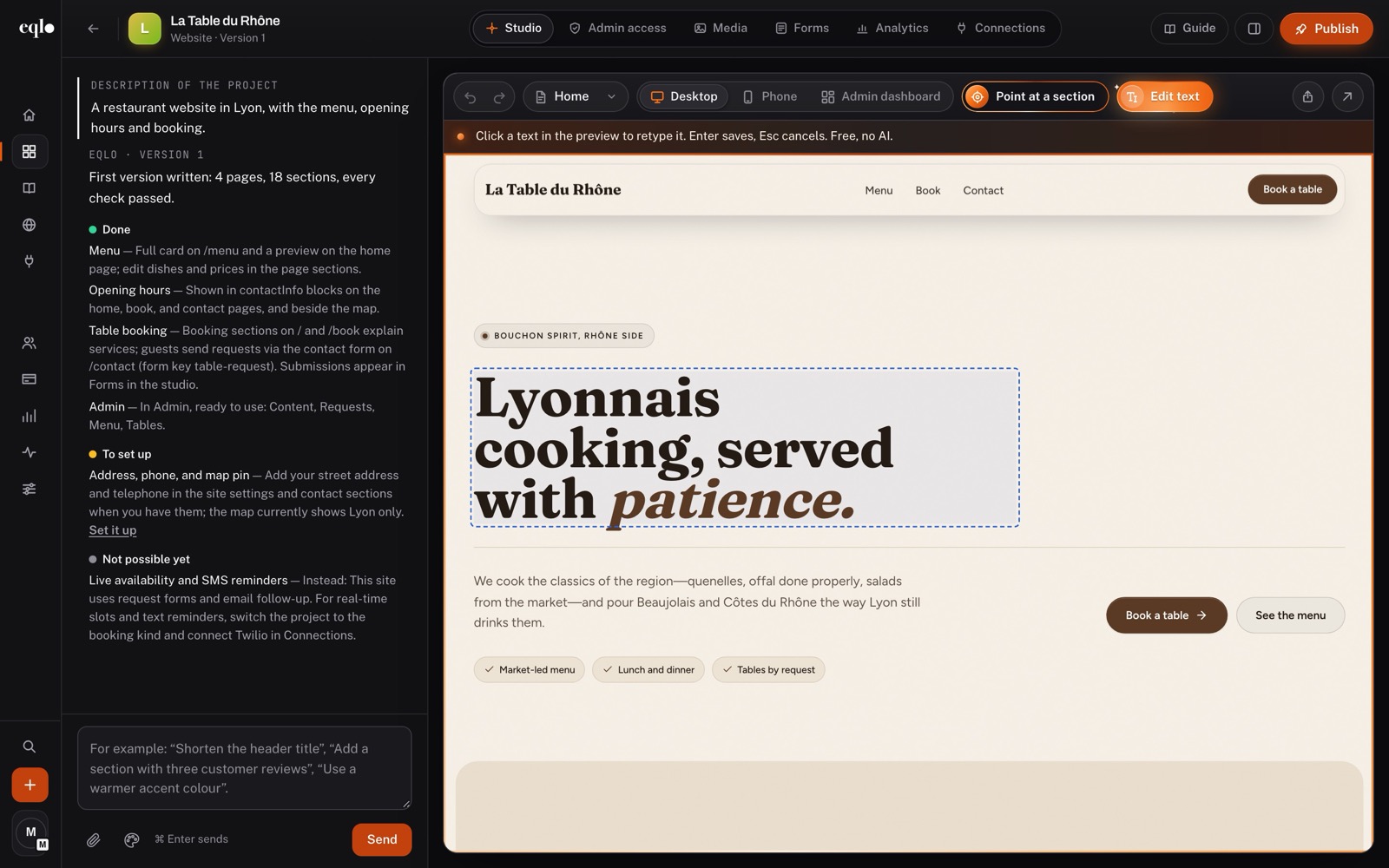
Ask for “a shorter headline” or “three customer reviews under the menu” in the chat. To fix a single word, click the text in the preview and type over it: that edit is free and uses no AI.

  • Point at a section to tell the AI exactly what to change
  • Before a large change, a plan of two to six steps to approve
  • Every change saved as a version you can compare and restore
  • Nothing goes live until you press Publish
Edit text mode in the Eqlo studio: the headline “Lyonnais cooking, served with patience” selected for direct typing on the restaurant website
Mobile app

An app on your phone the same day

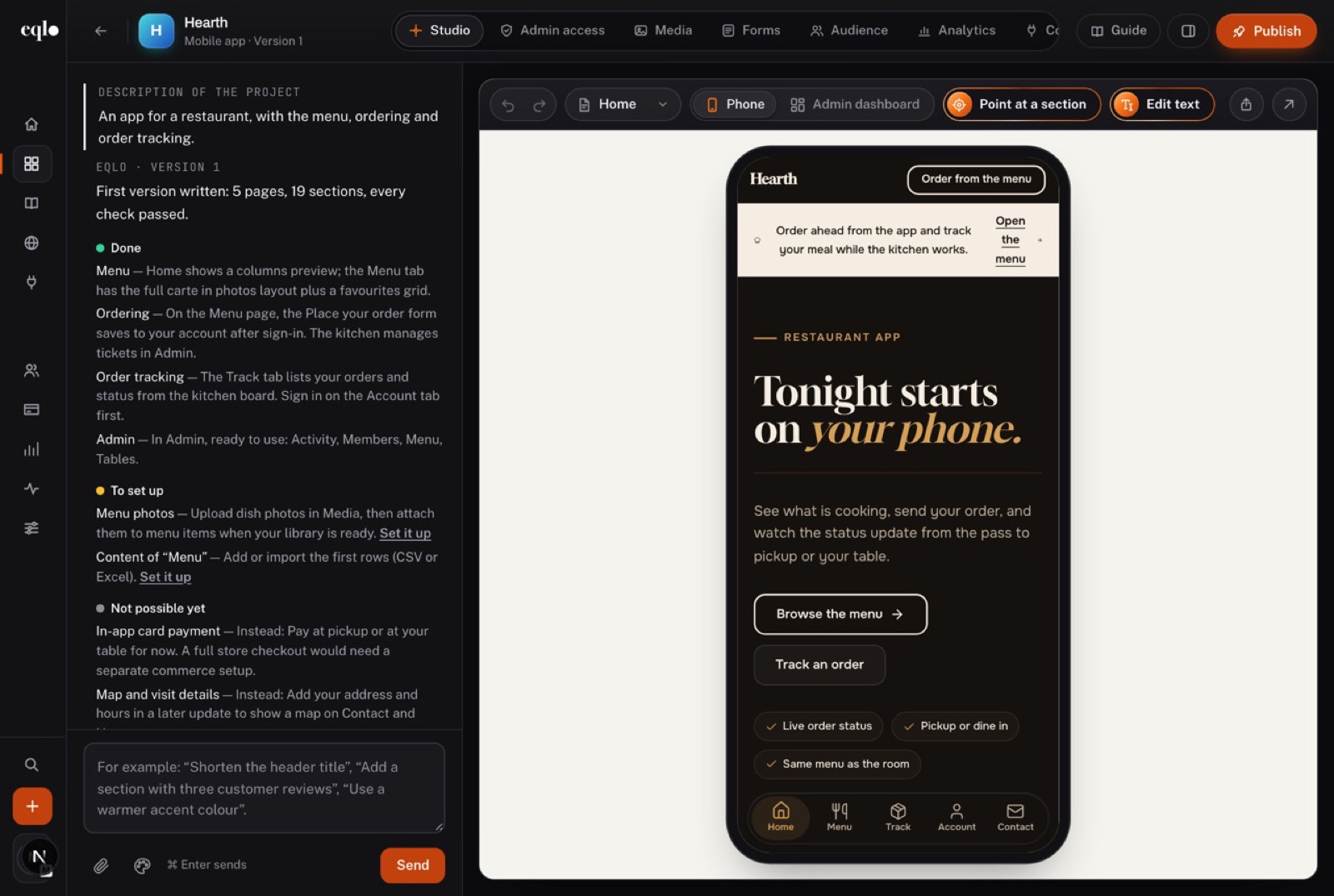
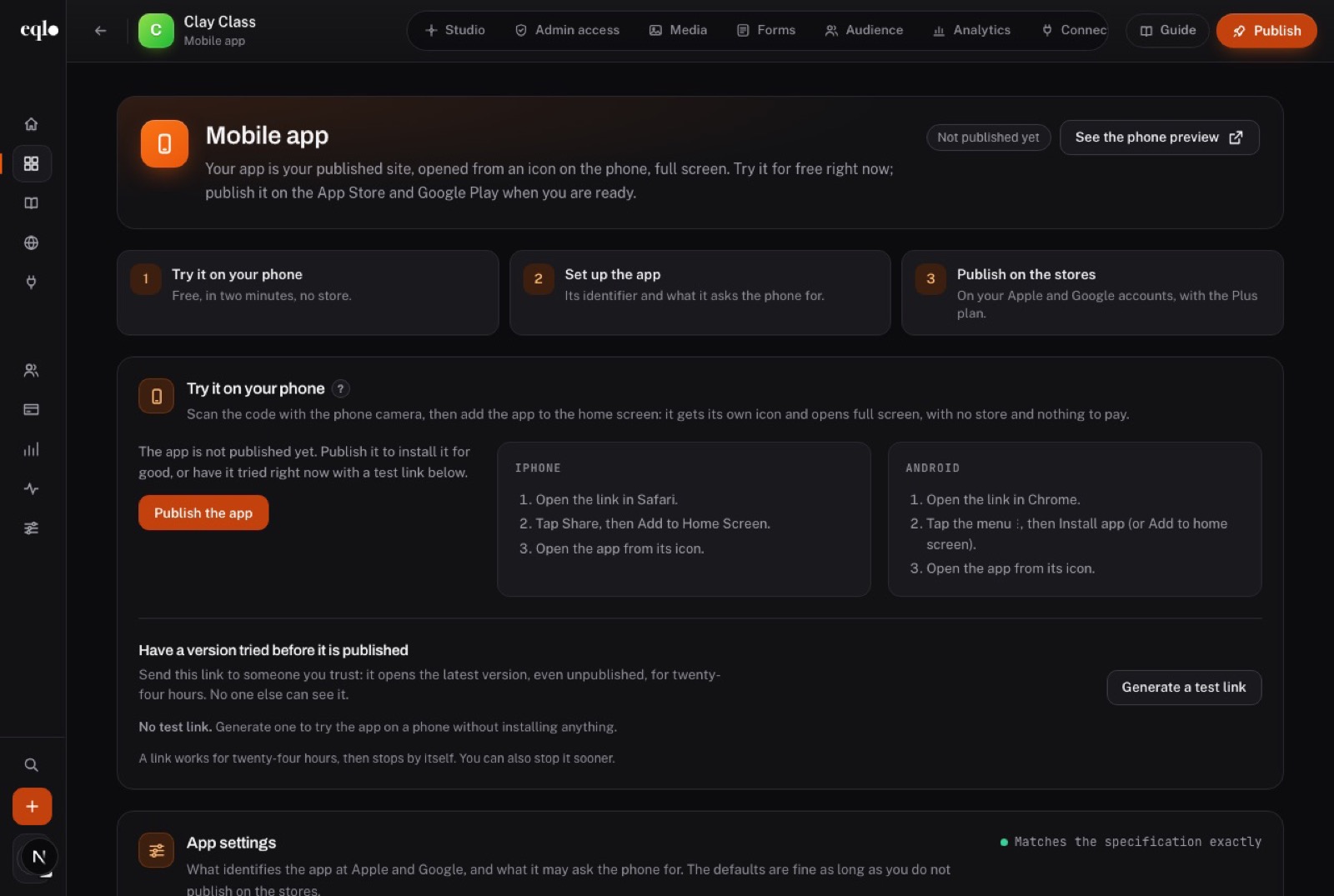
An app project gets a tab bar, an icon and screens built for a phone. A QR code opens it on your phone at once, and you add it to the home screen like any app.

  • A test link valid for 24 hours, which works with no Apple or Google account
  • Screens already opened stay readable offline
  • Listing text, privacy answers and declaration files prepared for both stores
  • On Plus and Team, signed builds uploaded to TestFlight and Google Play’s internal test track
Hearth restaurant app in the Eqlo studio, shown in a phone frame with the menu, order tracking and a tab bar
Mobile app screen of the Clay Class project: try it on your phone, set up the app and publish on the stores, with install steps for iPhone and Android
Admin dashboard

An admin for every site, at its own address

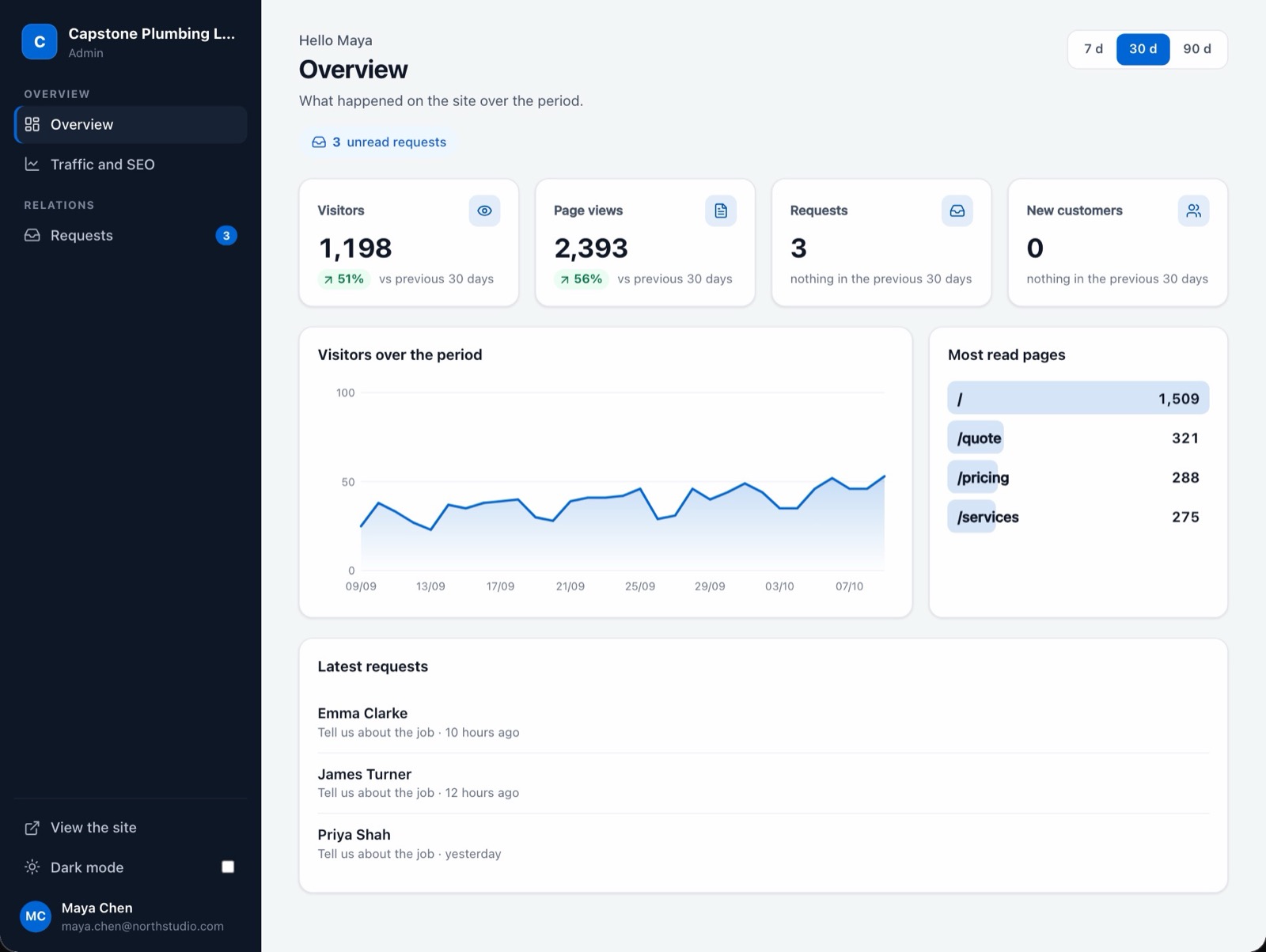
Add /admin to your site’s address and you reach its back office: visitors, page views, requests and the most read pages, over 7, 30 or 90 days. It is created with the site, so there is nothing to install.

Admin overview of Capstone Plumbing London over 30 days: 1,198 visitors, 2,393 page views, 3 requests, the visitor curve and the latest requests

Requests with every detail

Each request shows the form it came from, the answers and when it arrived. You mark it as read once handled, and the unread count stays in the sidebar.
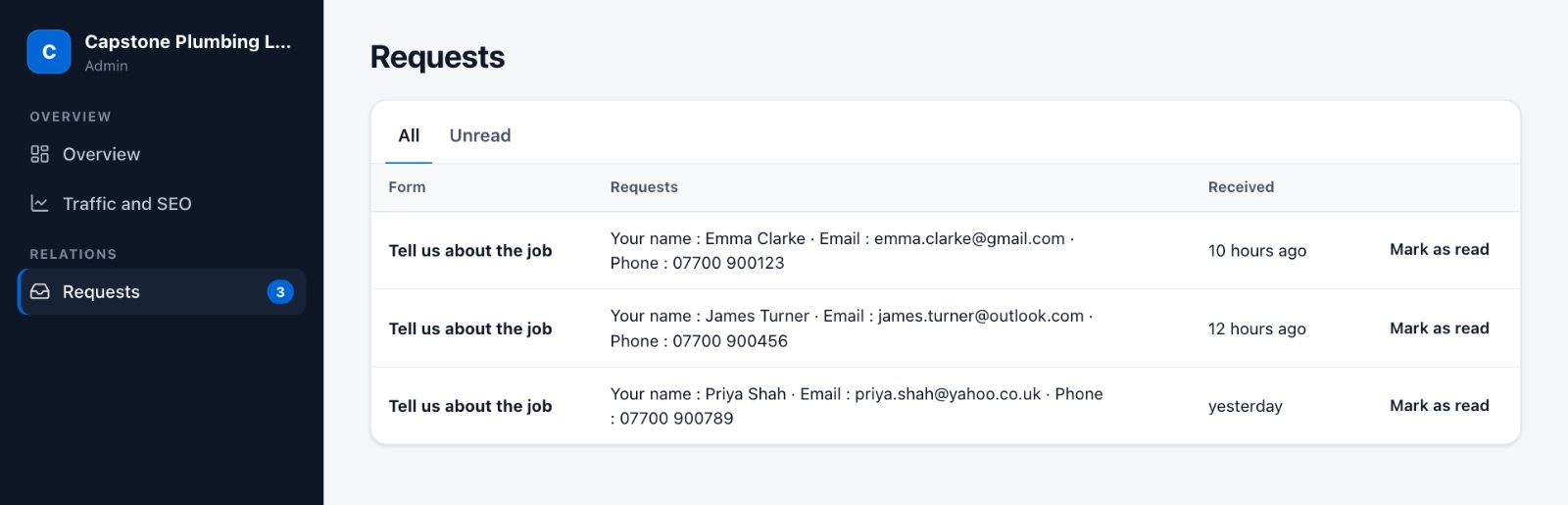

Requests screen of the admin: three quote requests with each customer’s name, email, phone and time received

Tabs added by asking

Describe a tab, a field, a dashboard or an automation, for example “Add an Invoices tab with an automatic reminder”. The change touches the admin only, never the pages.
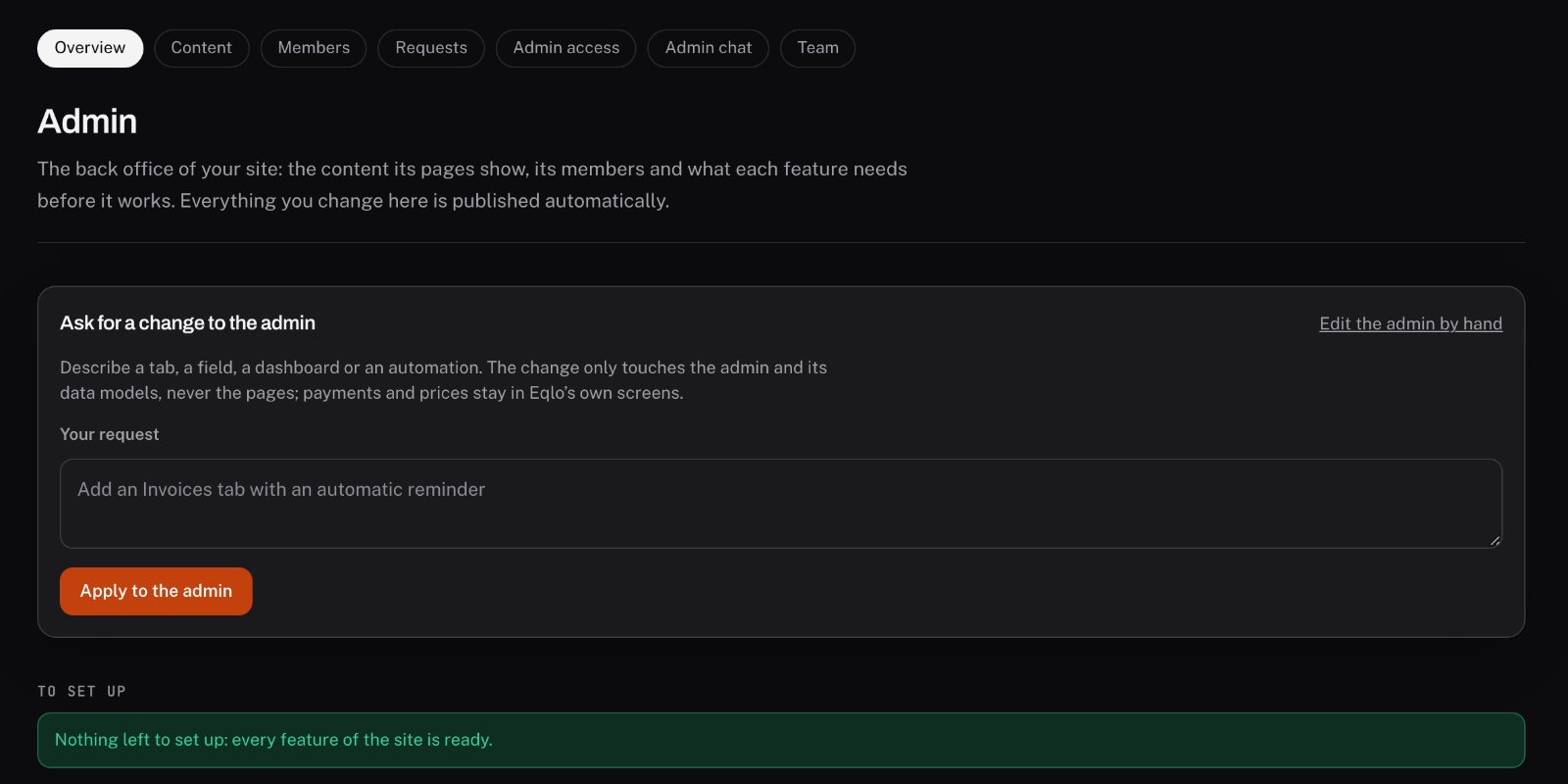
The “Ask for a change to the admin” box in Eqlo, with the request “Add an Invoices tab with an automatic reminder”

Access for the people who need it

Invite someone to the admin of one project with a link valid for 7 days. A custom role decides which tabs they see and what they may do on each table.

  • List, kanban, calendar and dashboard screens
  • A history on every record
  • Light and dark mode
Forms and requests

Every request reaches you twice

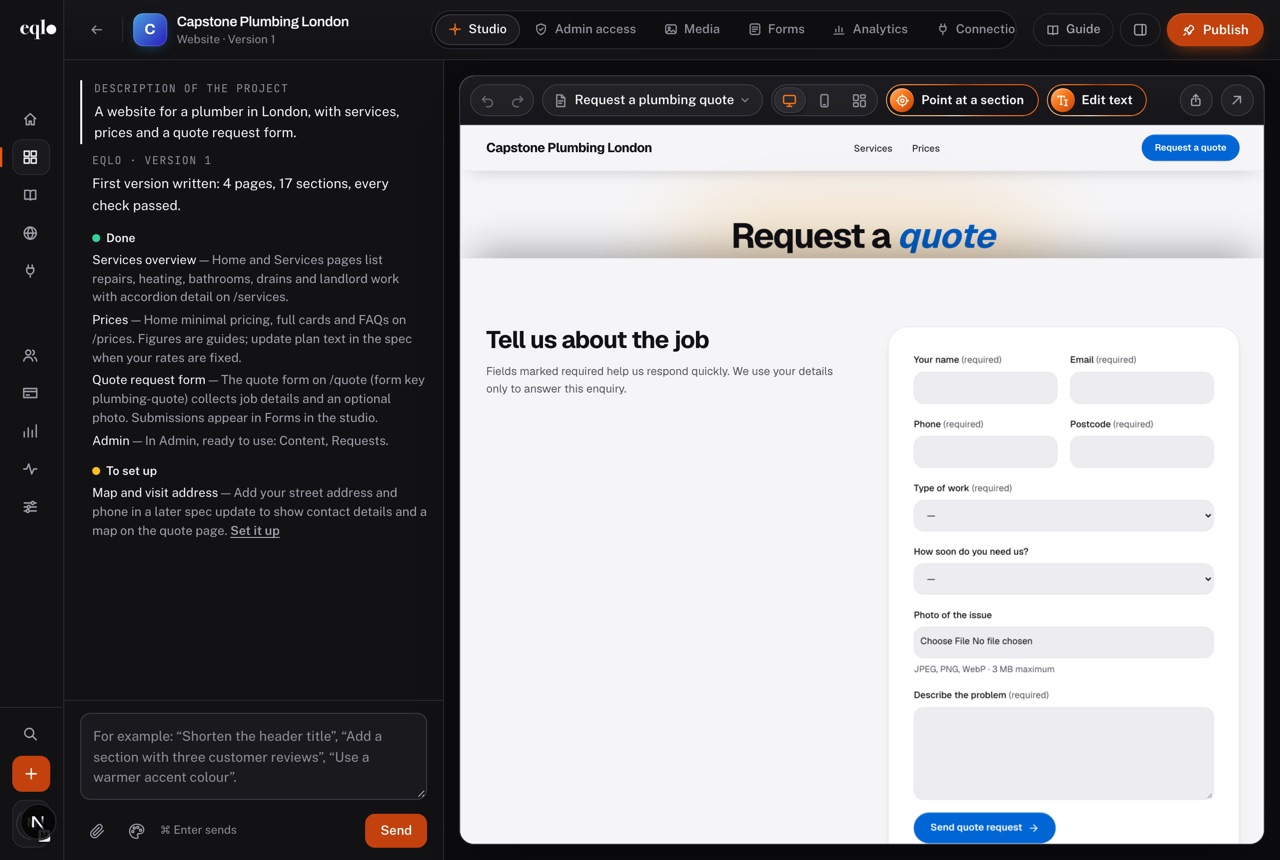
Contact, quote, sign-up, application or newsletter: the form fits the trade you described. Each submission lands in the admin inbox and in the email of everyone working on the project.
  • Text, email, phone, list, date and file fields, with photos or PDFs checked on upload
  • A limit of 10 submissions a minute against spam
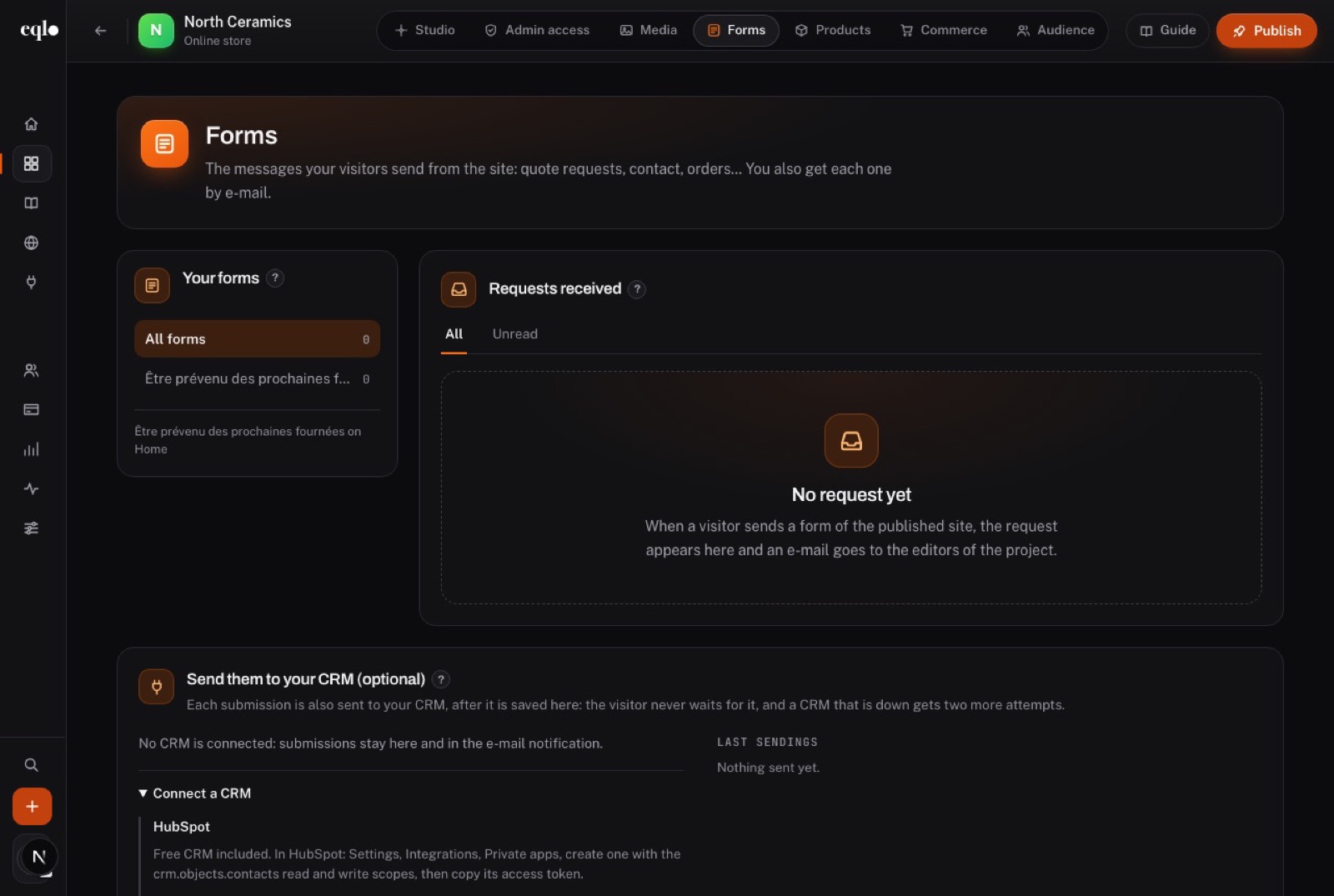
  • Copies sent to HubSpot or Brevo, retried if the CRM is down
  • Read and unread filters, file downloads and a CSV export
Quote request page of Capstone Plumbing London, with fields for the type of work, the urgency and a photo of the issue
Forms screen of the North Ceramics store: the list of forms, the requests received and the option to send them to a CRM
Bookings

Appointments that book themselves

Set your services, their length and your hours, and customers pick a free slot from the site. They get a confirmation with a cancel link, then a reminder before the appointment.
  • Slots from 5 to 240 minutes, bookable up to a year ahead
  • An optional deposit through Stripe, from 0 to 100%
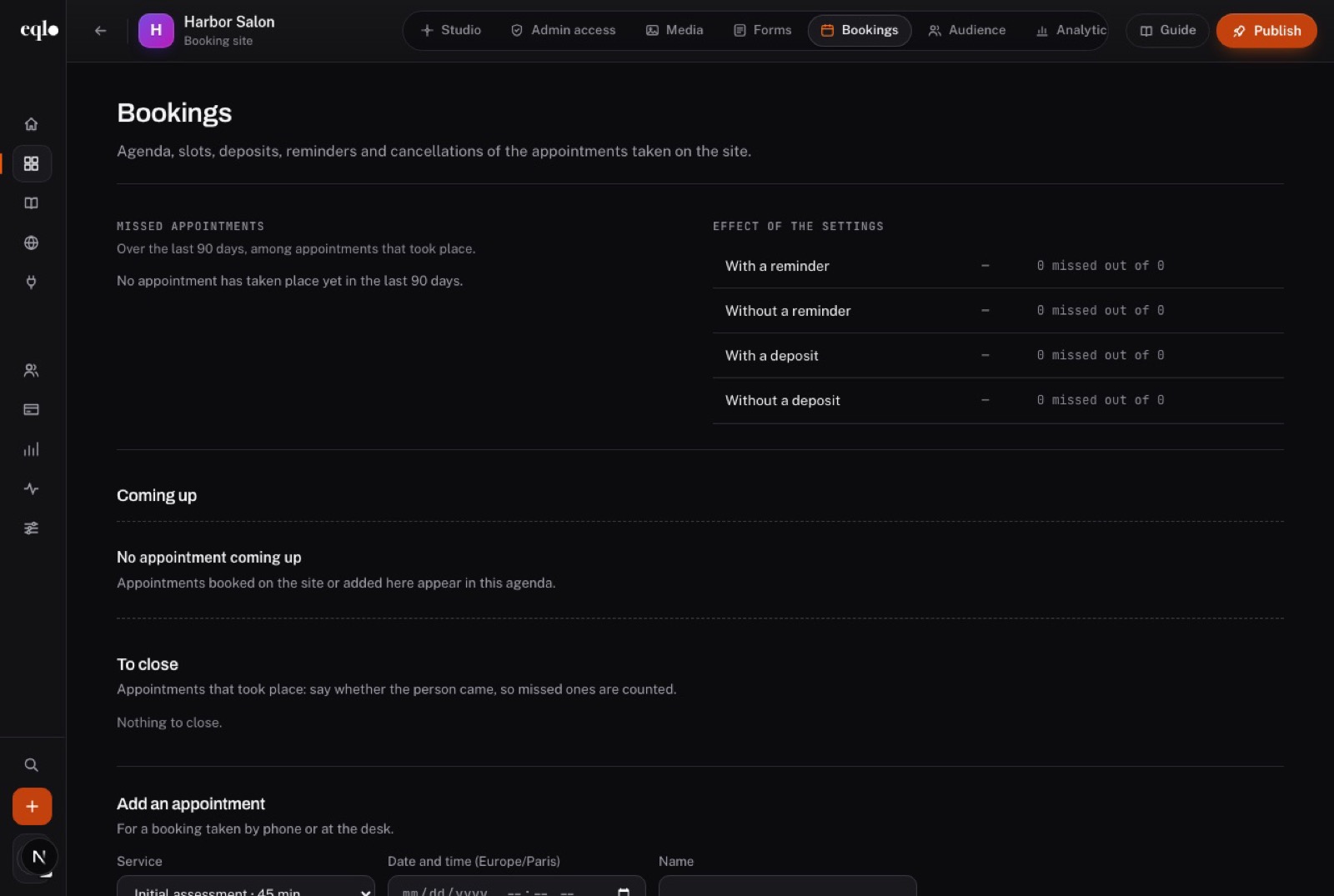
  • Missed appointments counted over 90 days, with and without a reminder or a deposit
  • Google Calendar, Apple Calendar and Outlook synced every 15 minutes
Bookings screen of the Harbor Salon site: missed appointments over 90 days, the effect of reminders and deposits, and a form to add an appointment by hand
Online store

Sell online with no commission

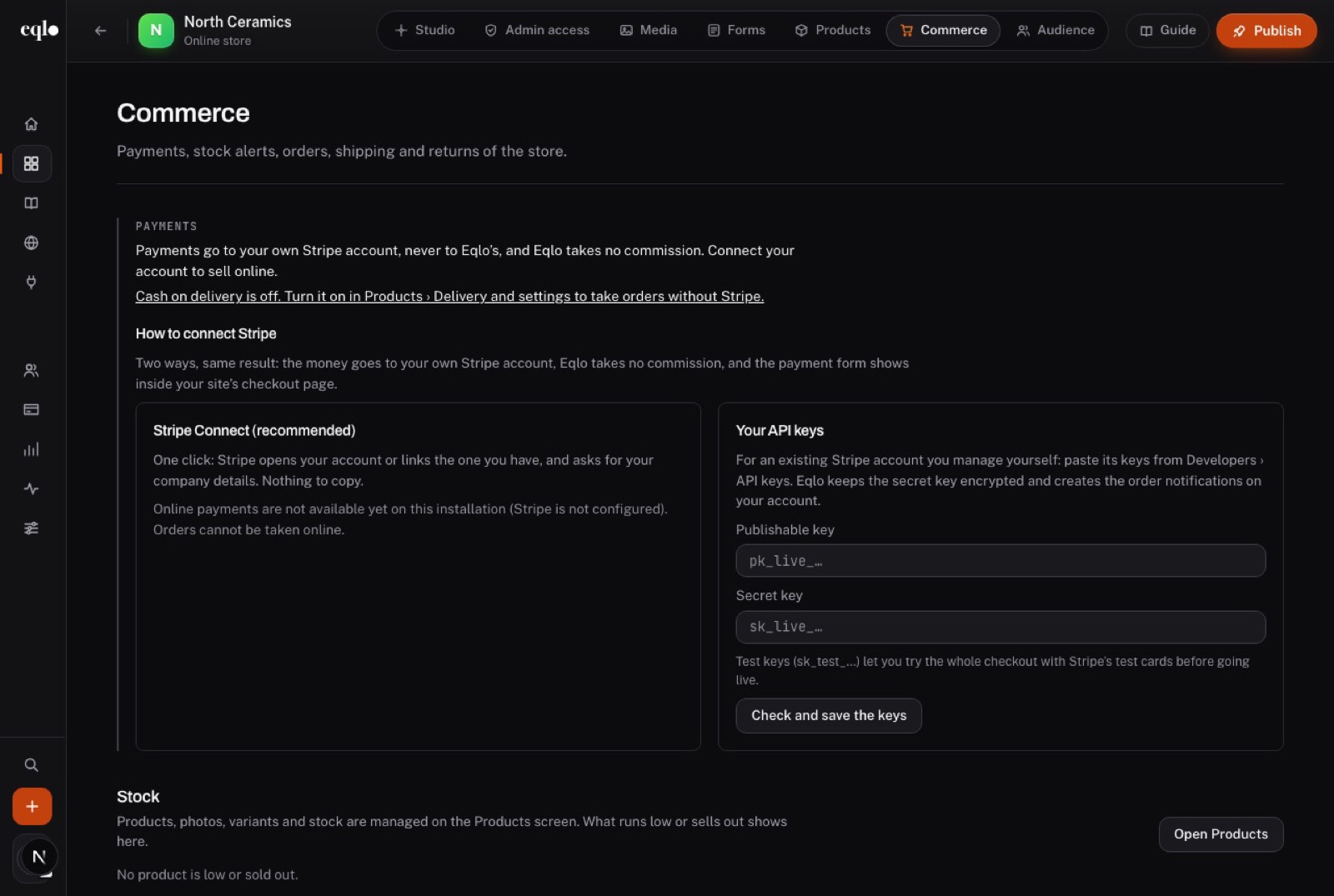
Products, cart, payment and delivery are built in. Customers pay by card, Apple Pay or Google Pay, and the money goes to your own Stripe account, which you create from Eqlo or connect with your keys.
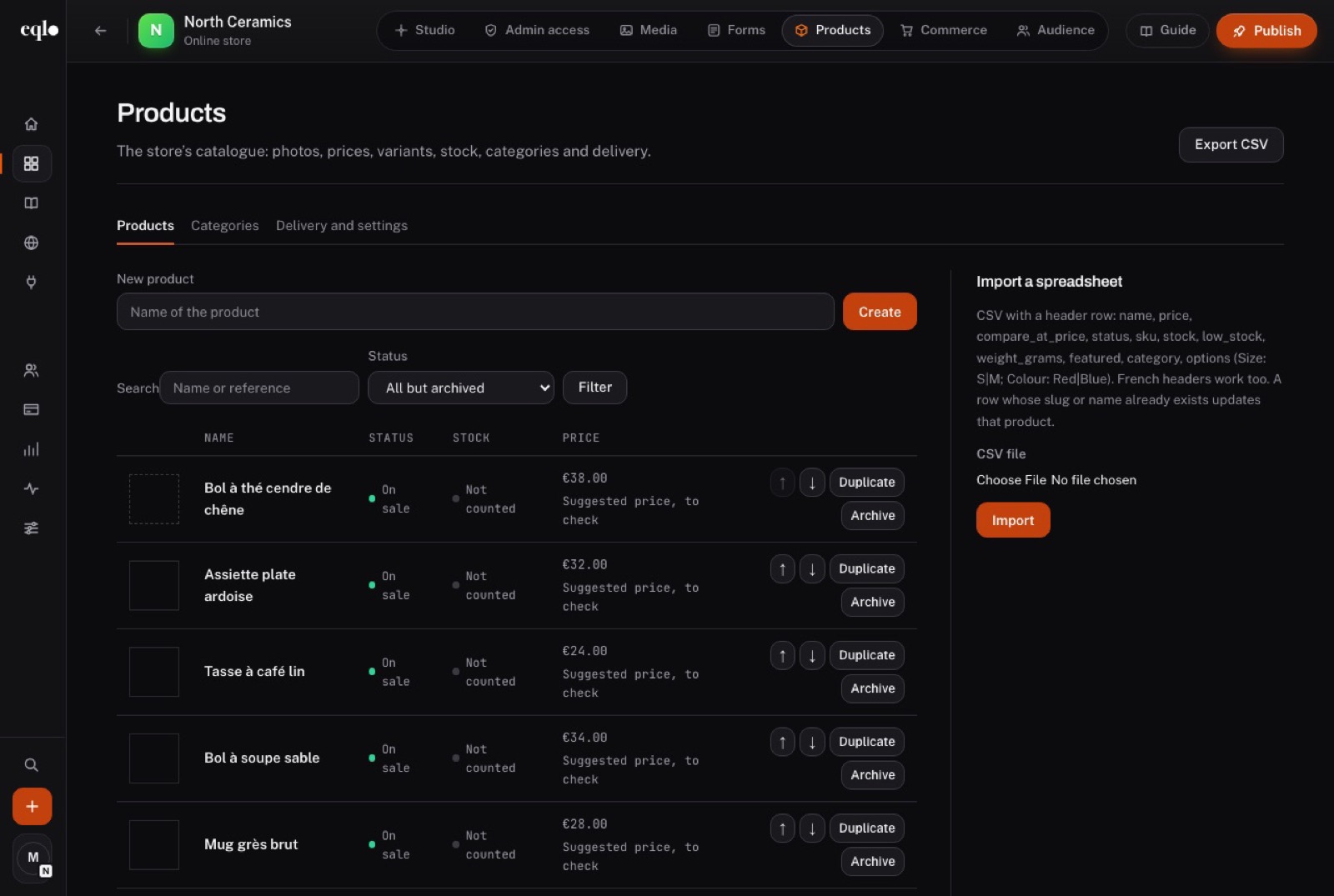
  • Up to 12 photos per product and up to 100 variants, each with its own price and stock
  • Up to 20 delivery rates, in-store pickup and cash on delivery
  • CSV import of up to 2,000 rows, which updates existing products
  • Orders, shipping with tracking, refunds and returns
Products screen of the North Ceramics store: handmade bowls and mugs with status, stock and price, and the CSV import panel
Commerce screen of the North Ceramics store: the two ways to connect Stripe, with no commission taken by Eqlo, and the stock alerts
Analytics

See where visitors come from, without cookies

Page views, visitors, conversions and the conversion rate over 30 days, counted on the server. With no cookie and no third-party service, there is no consent banner to display.
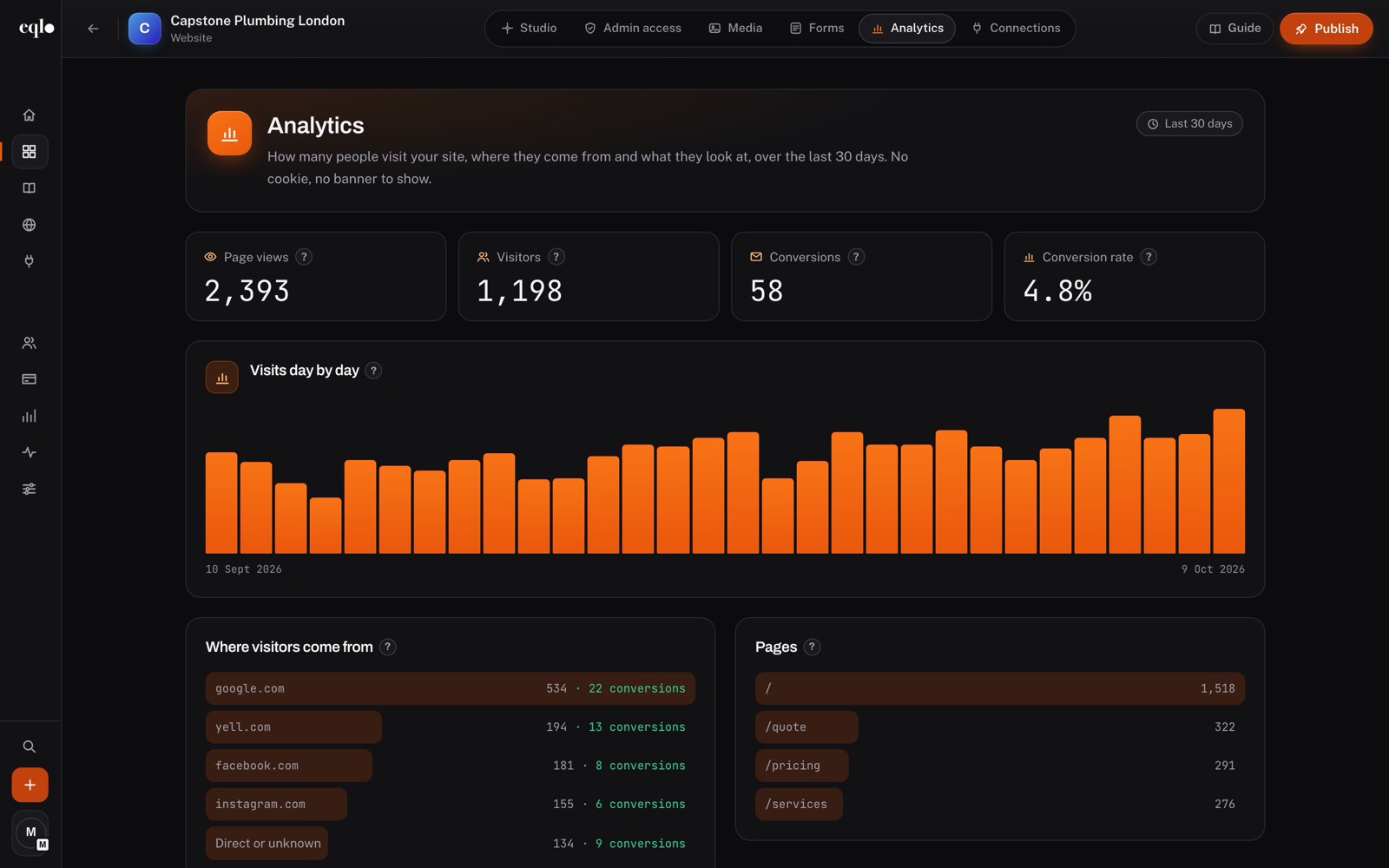
  • A day-by-day chart of visits
  • The top 10 sources, each with its conversions
  • The 10 most viewed pages and the split between desktop, mobile and tablet
  • Two versions of a campaign compared, with the better one flagged
Analytics of Capstone Plumbing London over 30 days: 2,393 page views, 1,198 visitors, 58 conversions and visits from google.com, yell.com and facebook.com
Go live

Checks first, then your site goes live

Choose a short name and the site goes live on an eqlo.dev address. Before each release, checks block anything that would hurt the site, such as a missing title or a broken link, and say what to fix.

  • Hosting and HTTPS included on every plan
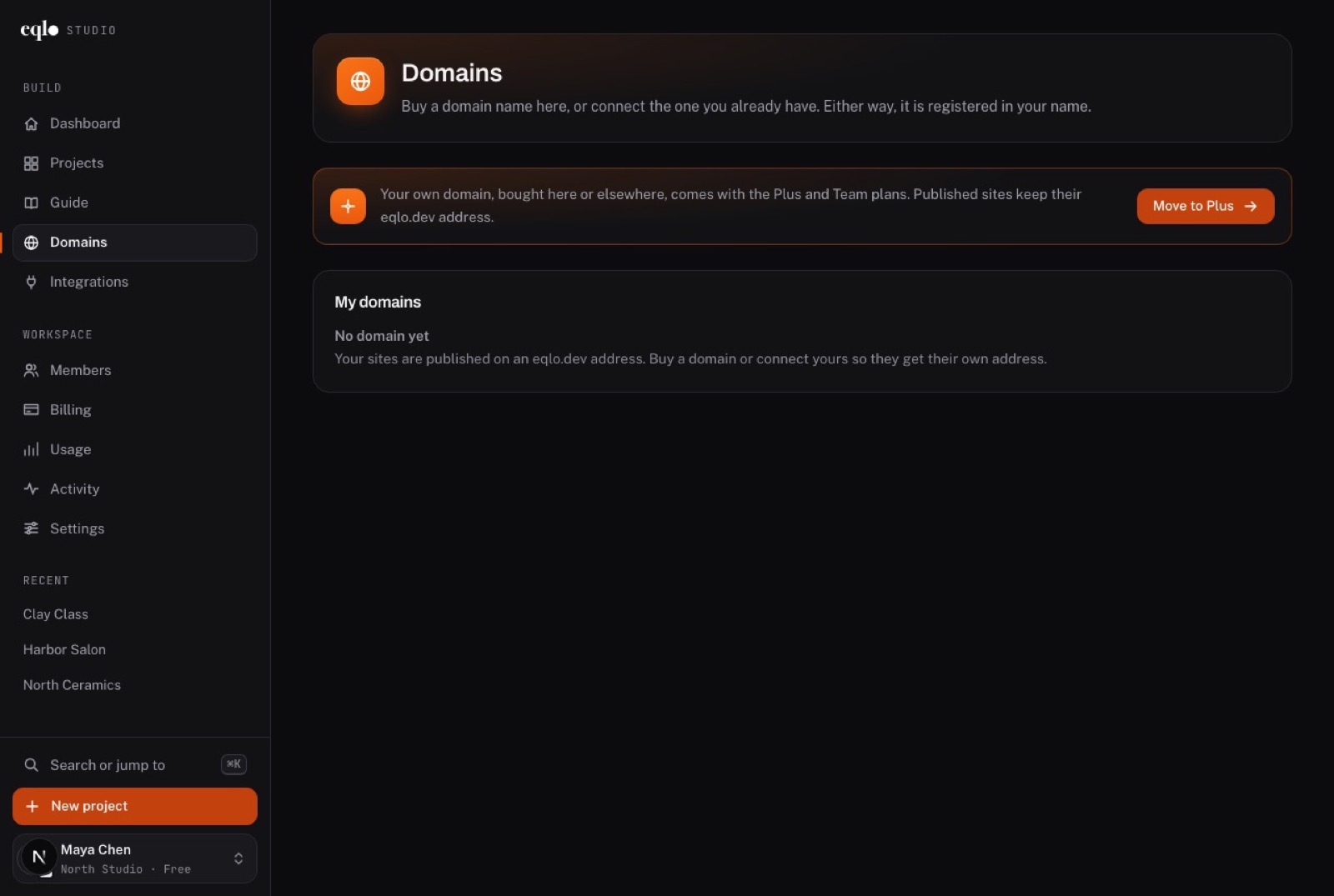
  • Your own domain on Plus and Team, connected with two DNS records or bought in Eqlo in your name
  • 301 or 302 redirects from old addresses
  • The last 20 releases kept, with their logs

Your own domain comes with the Plus and Team plans.
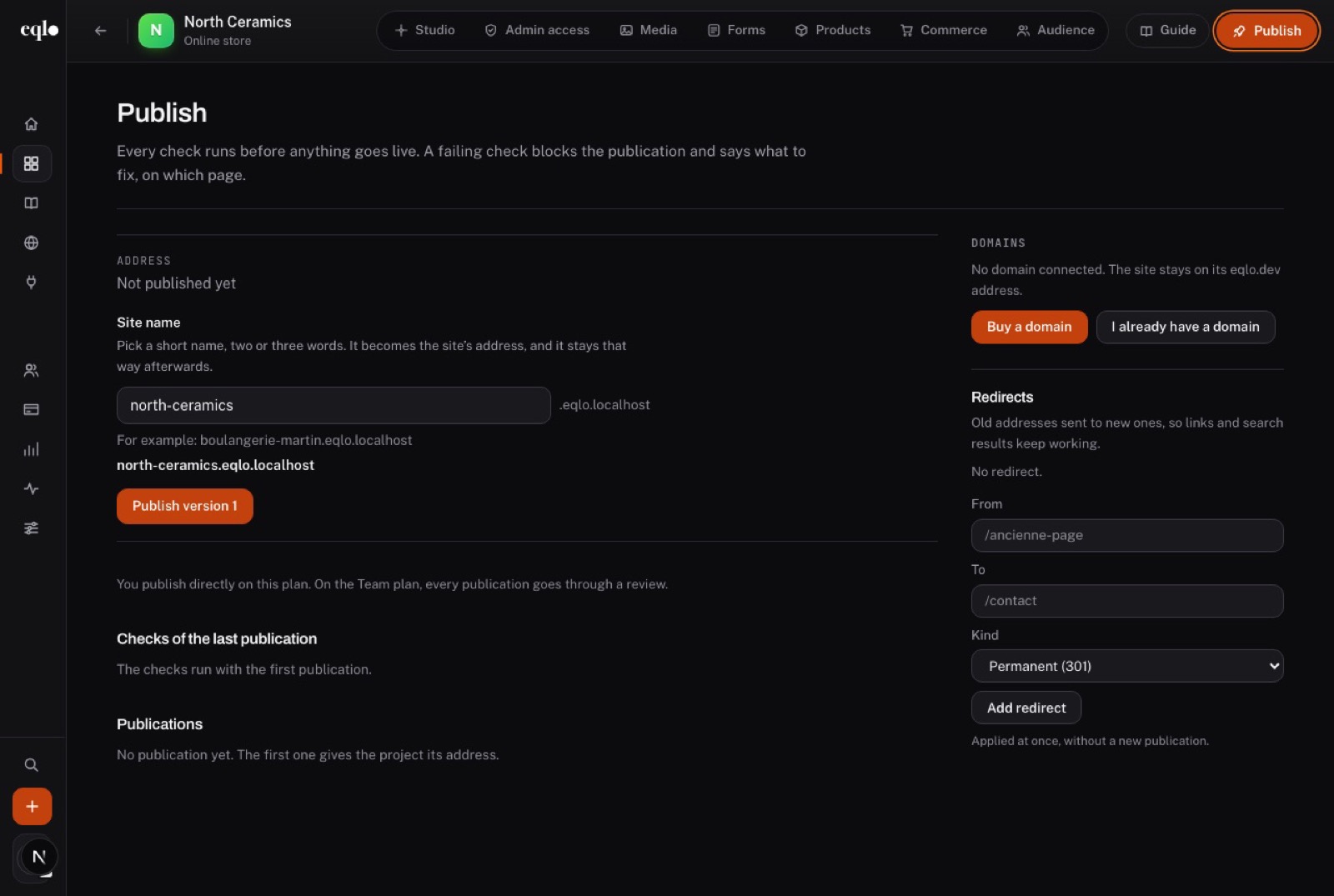
Publish screen of the North Ceramics store: the site name field, the button to publish version 1, the domain options and a redirect form
Domains screen of an Eqlo workspace: buy a domain or connect your own, available on the Plus and Team plans
Connections

Send what happens on the site to your other tools

Requests, bookings and orders can flow to the tools your team already opens every morning. Each connection explains where its key lives, can be tried with one click and records every delivery.
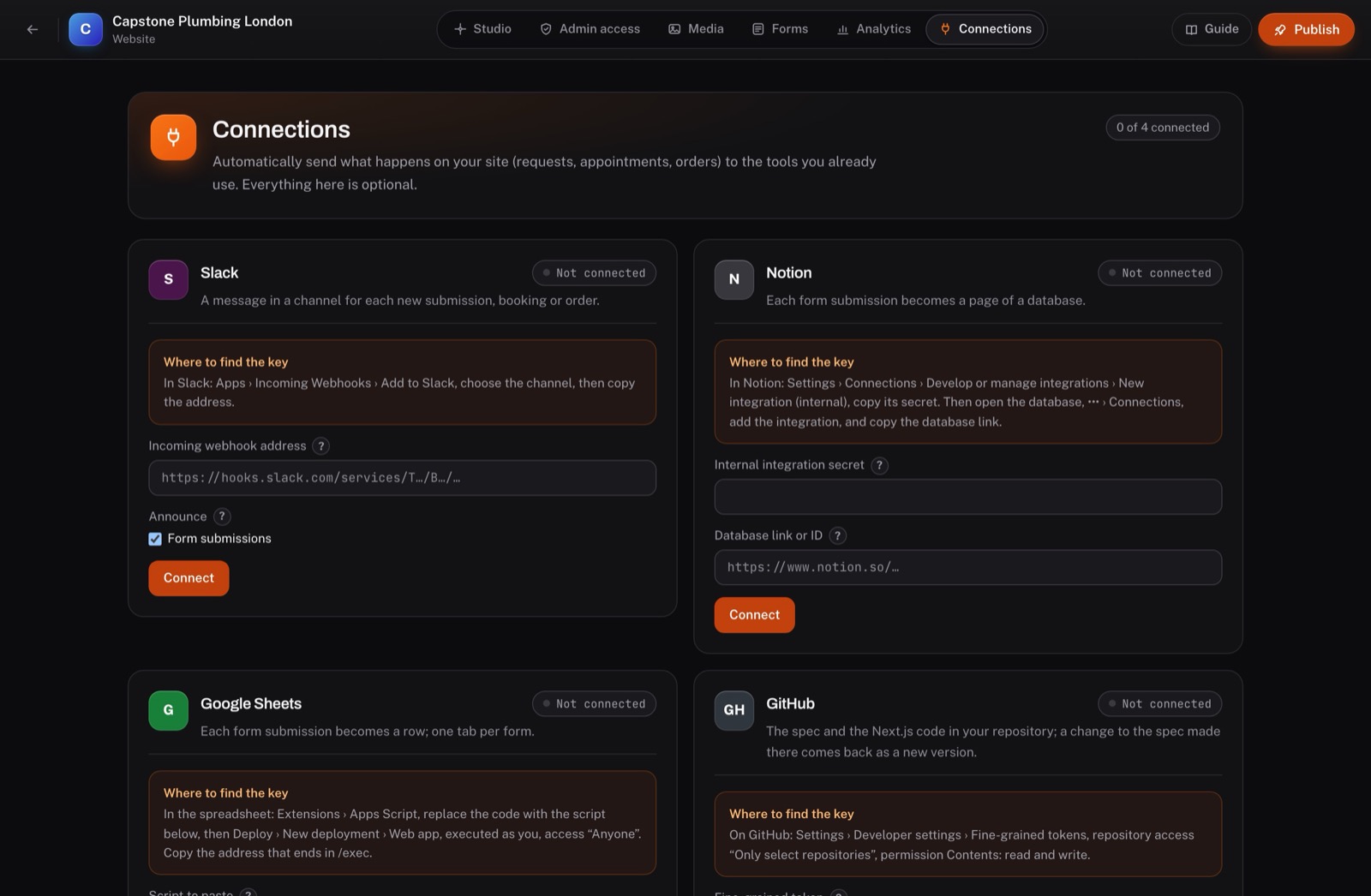
  • Slack: a message for each submission, booking or order
  • Notion and Google Sheets: each submission becomes a page or a row
  • Twilio: a text reminder before each appointment
  • GitHub: the specification and the Next.js code in your repository, in both directions
Connections screen of Capstone Plumbing London: Slack, Notion, Google Sheets and GitHub, each with where to find its key

More Eqlo features in every project

These come with the first project, whatever the plan.

Media library

Your files or Pexels photos, made light for the web before they reach a page.

Audience

Customers, members and subscribers in one list, with dues reminders 14 days ahead.

Data

15 field types, CSV or Excel import of 20,000 rows, CSV or SQL export.

Teamwork

Owner, admin, editor and viewer roles, with a log of the last 200 actions.

Members area

Visitor accounts, pages reserved for members and paid subscriptions through Stripe.

Code you can take

One button sends the site description and a Next.js project in React and TypeScript to GitHub.

Search engines

HTML pages Google reads without JavaScript, structured data, a sitemap and llms.txt.

Versions

Compare two versions of the project and restore the one you prefer.

Included on the Free plan

The Free plan costs nothing and needs no card. Plus at $19 and Team at $49 a month add your domain, signed apps and more room.

Compare plans
  • The AI that builds and edits, with a $3 monthly budget
  • The admin of every site
  • Forms, requests and the contact list
  • Bookings and the online store
  • Cookie-free analytics
  • The mobile app with its test link
  • Connections and the code export

On Plus and Team

  • Your own domain, connected or bought in your name
  • Signed builds for the App Store and Google Play
  • Unlimited projects, 3 or 10 seats and a larger AI budget
  • On Team: a review before each release and company sign-in (SSO)

Frequently asked questions

Is any coding involved?

No. You describe the project in plain English and change it the same way, or by clicking a text in the preview. The code still exists, and a developer can pick it up from GitHub.

How do I reach the admin of my site?

Add /admin to the site’s address, for example capstone-plumbing.eqlo.dev/admin. The studio also opens it from the Admin access tab.

Does Eqlo take a cut of my payments?

No. Sales, deposits and subscriptions are paid into your own Stripe account, and Eqlo takes no commission. Stripe charges its own fees.

Can Google read my site?

Yes. Pages are served as complete HTML with titles, descriptions, structured data and a sitemap, and a release is blocked if a page has no title or several H1 headings.

What does the Free plan leave out?

Your own domain, signed store builds and unlimited projects: the Free plan has five active projects and one seat. Archived projects do not count toward the five.

Describe your project and see the first version

Write one sentence, look at the preview, change what you want and publish when it is right.